Send the address.
We chase the South Carolina septic file.
We confirm the county and TMS, search SCDES and public sources, contact the responsible office when needed, and explain what the returned file means for your property.
Research, records and explanation are free. Agency fees only with approval.
Search SCDES for the property’s septic file
Prefer to handle it yourself? Prepare the identifier SCDES can match, then open SCDES Site Explorer.
- 1 County
- 2 Property
- 3 Official search
Try these identifiers
Follow the prepared first action
The workspace will send a TMS or permit number to Site Explorer, or use the county/request route when that identifier is missing.
Keep this page open so you can return to the correct next step.
Look for the complete file
- Application or D-1740 trail
- Permit to Construct
- Soil evaluation and approved layout
- Final inspection / DES 4432
- Approval to Operate
- Repair or modification records
Come back after the official search.
SepticPath will keep the next step on this device for 30 days. Property identifiers are not included in reminders or return links.
I’m back — record what happenedContinue without starting over
What did you find?
Choose the actual outcome. Each one has a different next step.
I found documentsVerify the property and final status
Match the county, address or TMS, owner, permit number, and dates. Check for the approved layout and final inspection before relying on the file.
Add and review the official fileNo online match appearedRetry alternate identifiers, then contact SCDES
Try TMS, original owner, subdivision, lot, block, and approximate install year. If there is still no match, prepare a manual follow-up.
SCDES could not locate a fileAge changes the next step
Ask for written confirmation of what was searched. For an older home—or when no permit can be located—SCDES advises contacting a licensed septic contractor to physically locate the existing system.
I need to locate or assess the systemA permit file cannot prove present condition
A record may show the approved design, not today’s exact location or condition. Physical locating and inspection require an appropriate licensed professional.
Ask SCDES for the property file
The draft includes the identifiers SCDES asks homeowners to provide. You still review and send it yourself.
A copied draft is not a submitted request. Save the date and channel only after you actually send it.
- Customer service
- 1-855-731-2504
- [email protected]
From an official file to an answer you can use.
These anonymized materials show the kind of source documents we preserve, match to the property, and explain.
We chase the file. Then make it usable.
Selected full pages from separate completed requests: original agency records, hand-drawn plans, and the brief delivered after review.
Swipe to compare the original pages Document 1 of 3
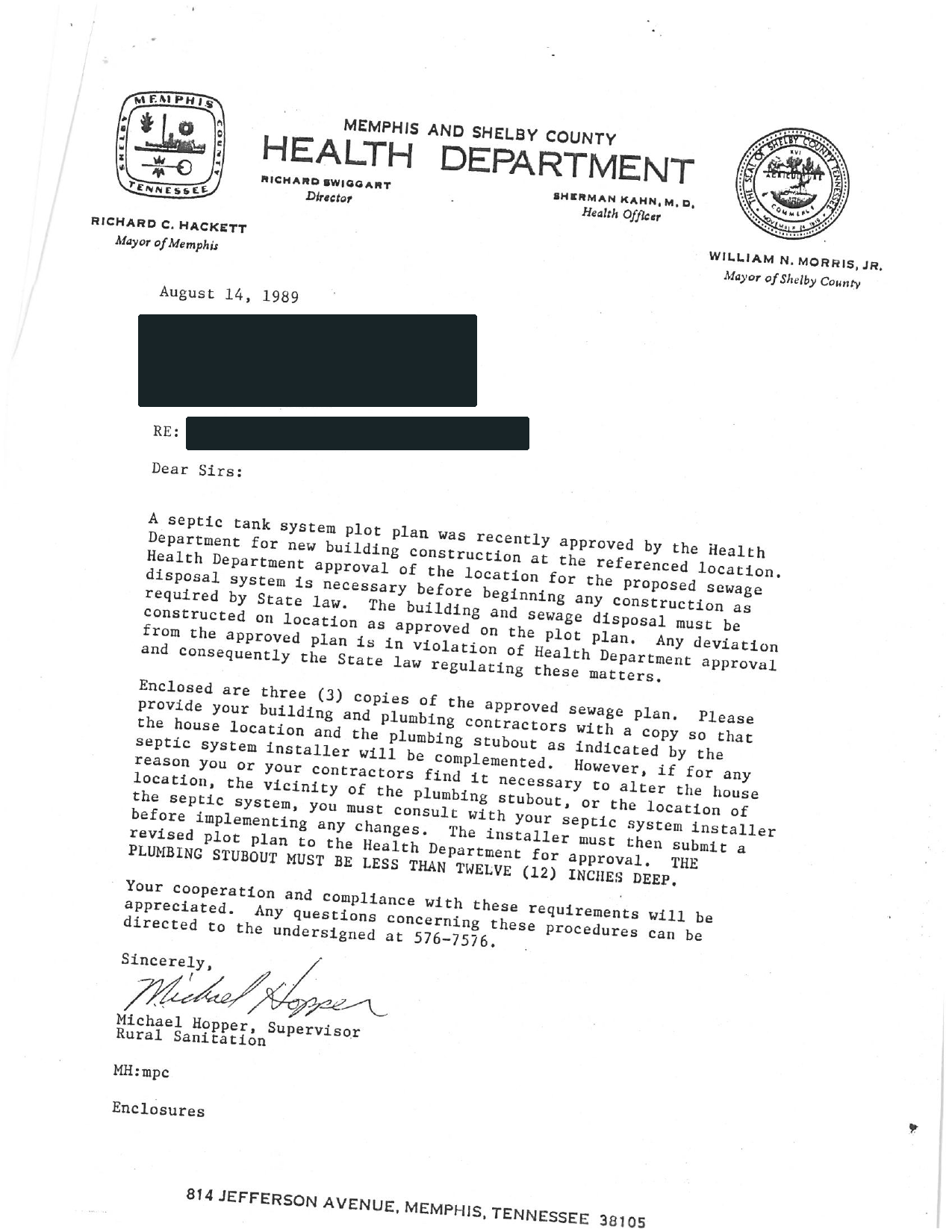
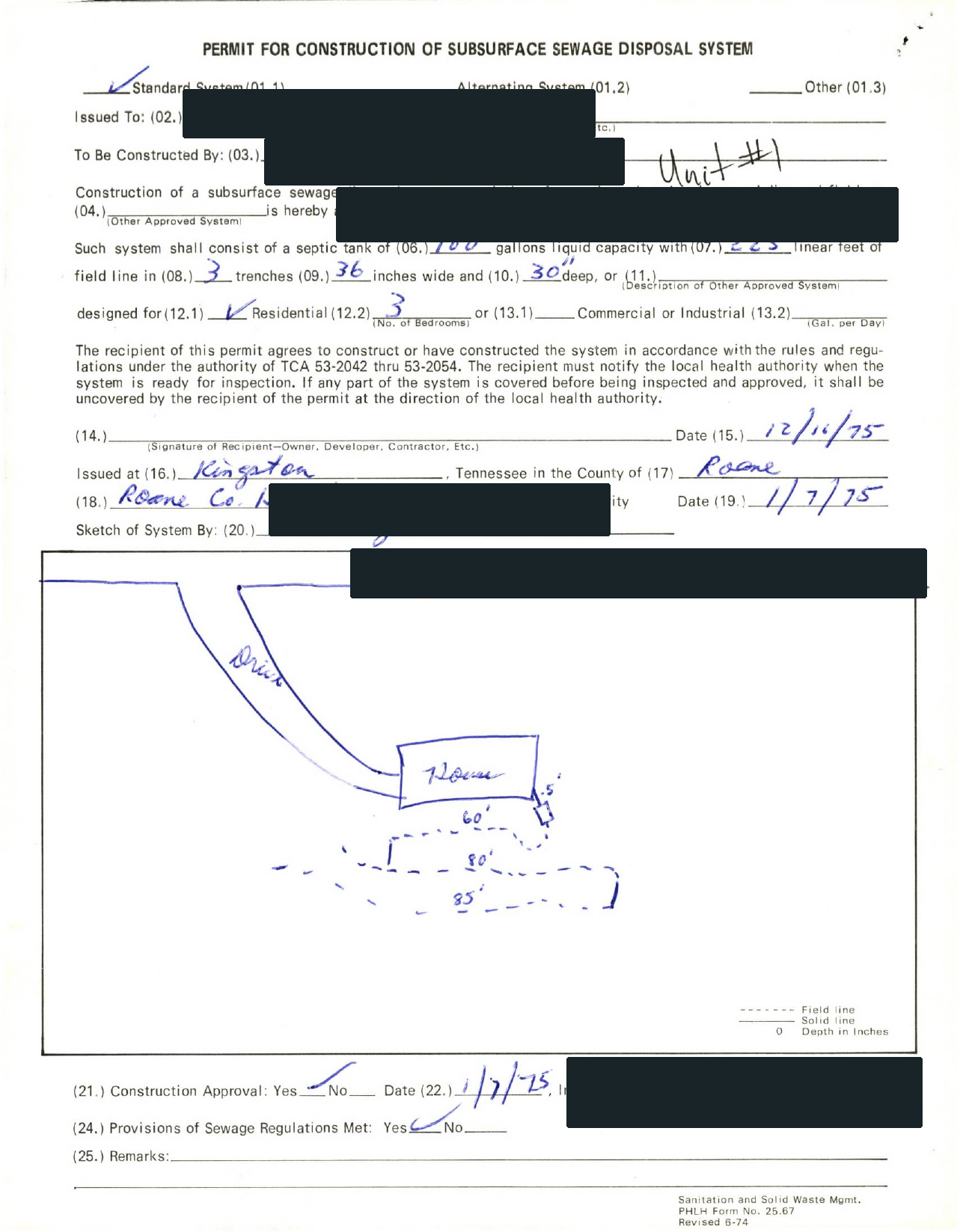
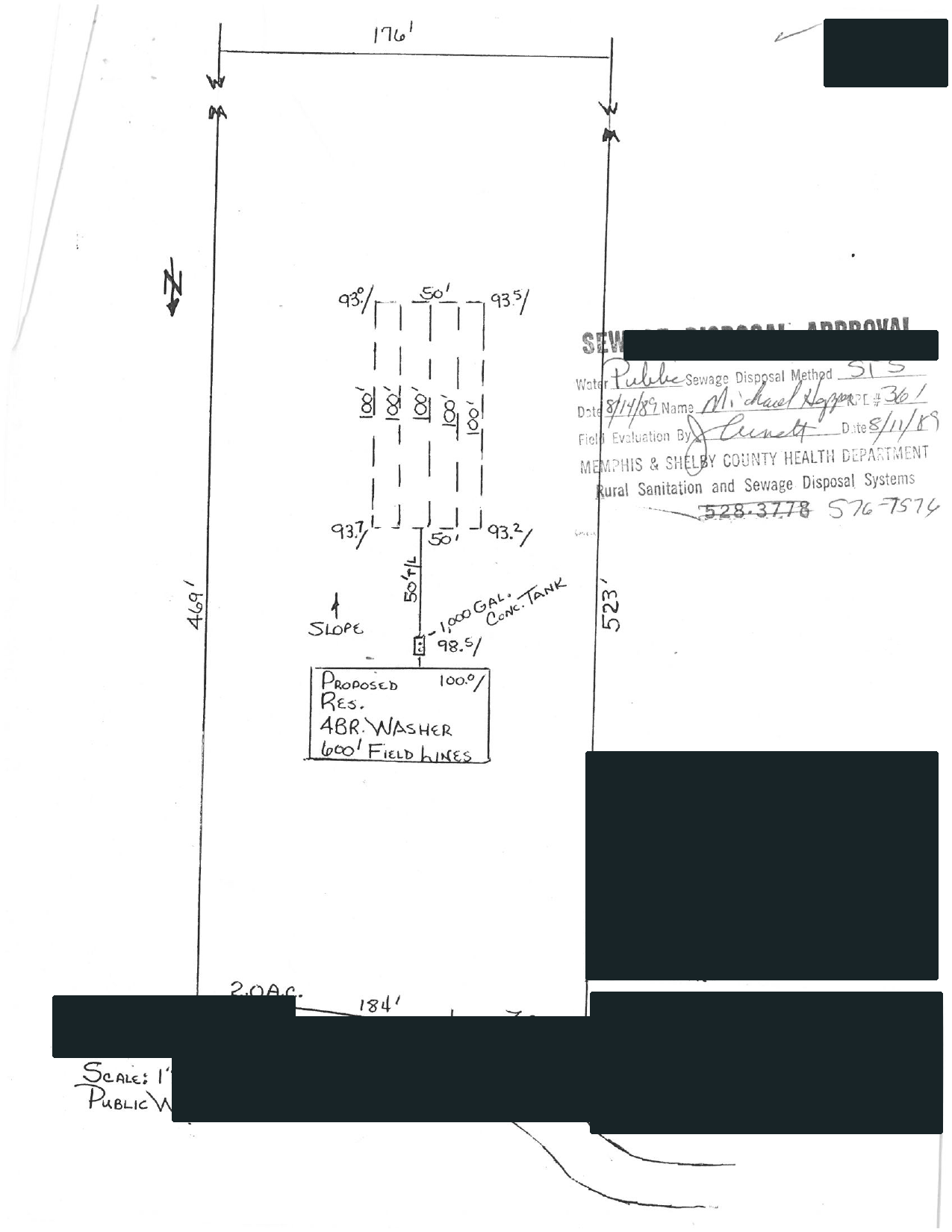
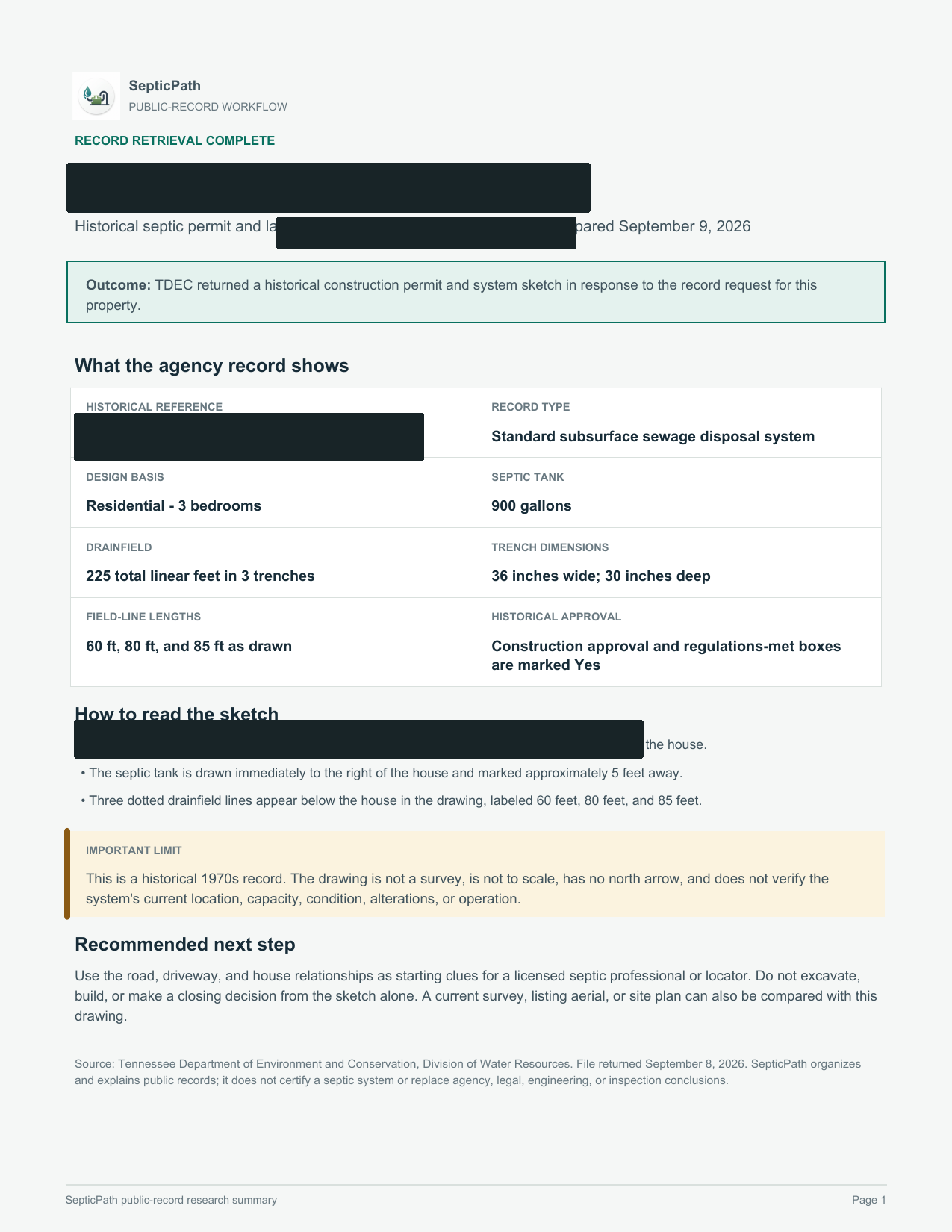
What this helps withA starting point for discussing the layout with a septic professional.
What it does not proveThis is an approved design, not proof of the system’s current location or condition.
Open the delivered brief ↗Privacy reviewed: black bars remove identifying details; agency language, form structure, system data, and drawing geometry remain visible. Samples are from separate requests, not one property file. Record availability varies by property and jurisdiction.
- Search public sources
- Request agency files when needed
- Explain what comes back
Official-source notes
SCDES describes Site Explorer as the public ePermitting search. Its homeowner guidance asks for tax map number, lot, block, physical address, installation or construction date, original permit holder, and subdivision when staff search for a file.
Independent guide. SepticPath is not affiliated with SCDES and cannot certify permit existence, compliance, location, or condition. Official route review: 2026-07-26.