Check it myself
Extract record facts in this browser. The original file and OCR images are not retained by SepticPath.
Open the private workspaceFind the official record route yourself, or ask us to search for the permit and layout and explain what we find, free. You do not need an existing file to start.
Find my location records Search the official route myselfResearch, records and explanation are free. Agency fees only with approval. Any on-site work is separate.
Use the private browser workspace for a quick first pass, or send the source file and your exact questions to the SepticPath research desk.
Extract record facts in this browser. The original file and OCR images are not retained by SepticPath.
Open the private workspaceNot sure whether your file confirms approval, bedroom capacity or completed repairs? Send the source and your questions. Get a free explanation of what the source shows and what remains unanswered. Agency fees, if needed, are extra with your approval.
Send my file and questionsWhen a direct file exists: The original record still opens on the government or county site. Otherwise the official route may require a search, form, call, login, or request there; this page keeps your place for 30 days.
Your answer stays on this device for 30 days so the next visit can continue from here.
Add a downloaded file, phone screenshot, or text copied from the official page or email. Each source updates one shared checklist and shows conflicts between records.
PDF, TXT, PNG, or JPG; maximum 10 MB per source. Originals and OCR images are never saved. The extracted summary stays only in this tab unless you choose “Save session for later.”
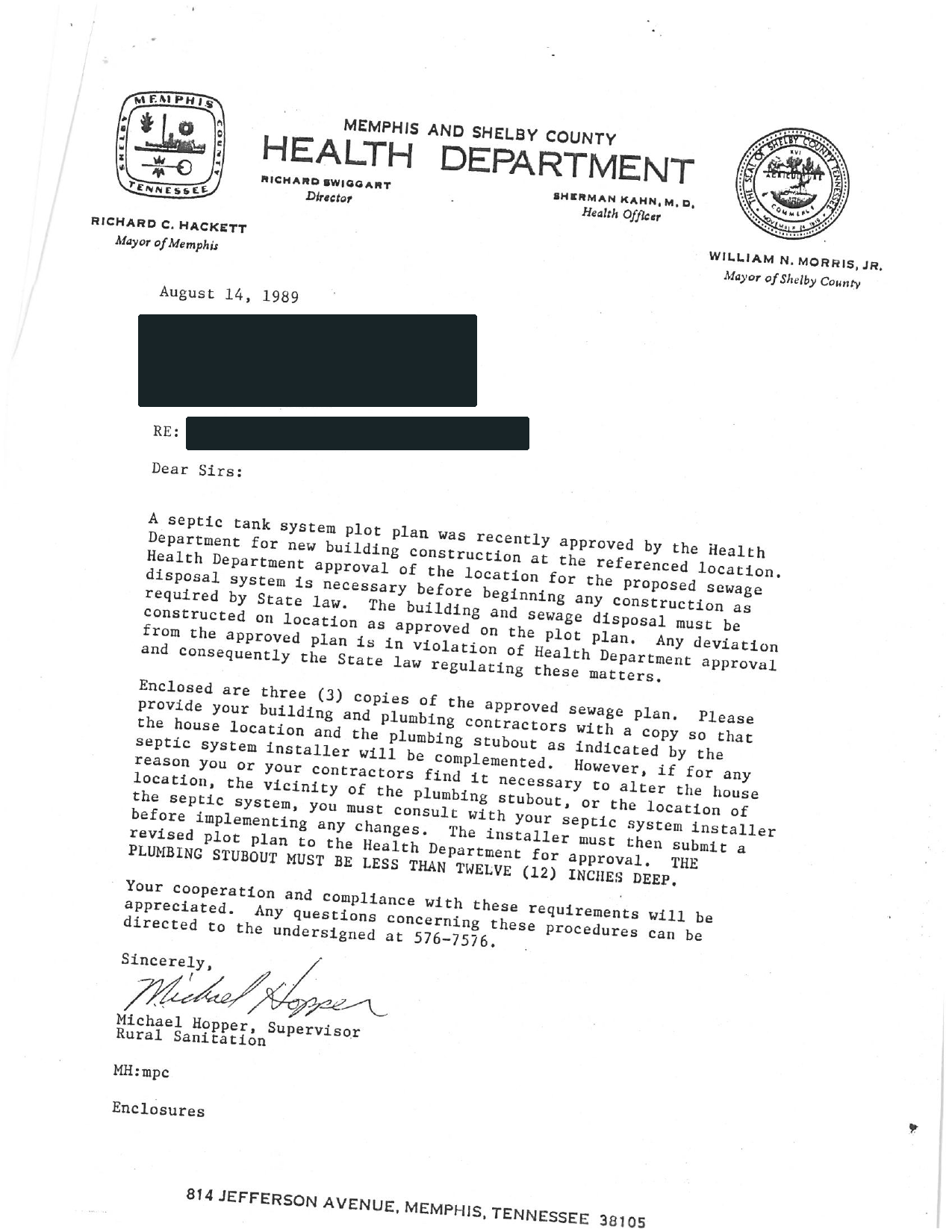
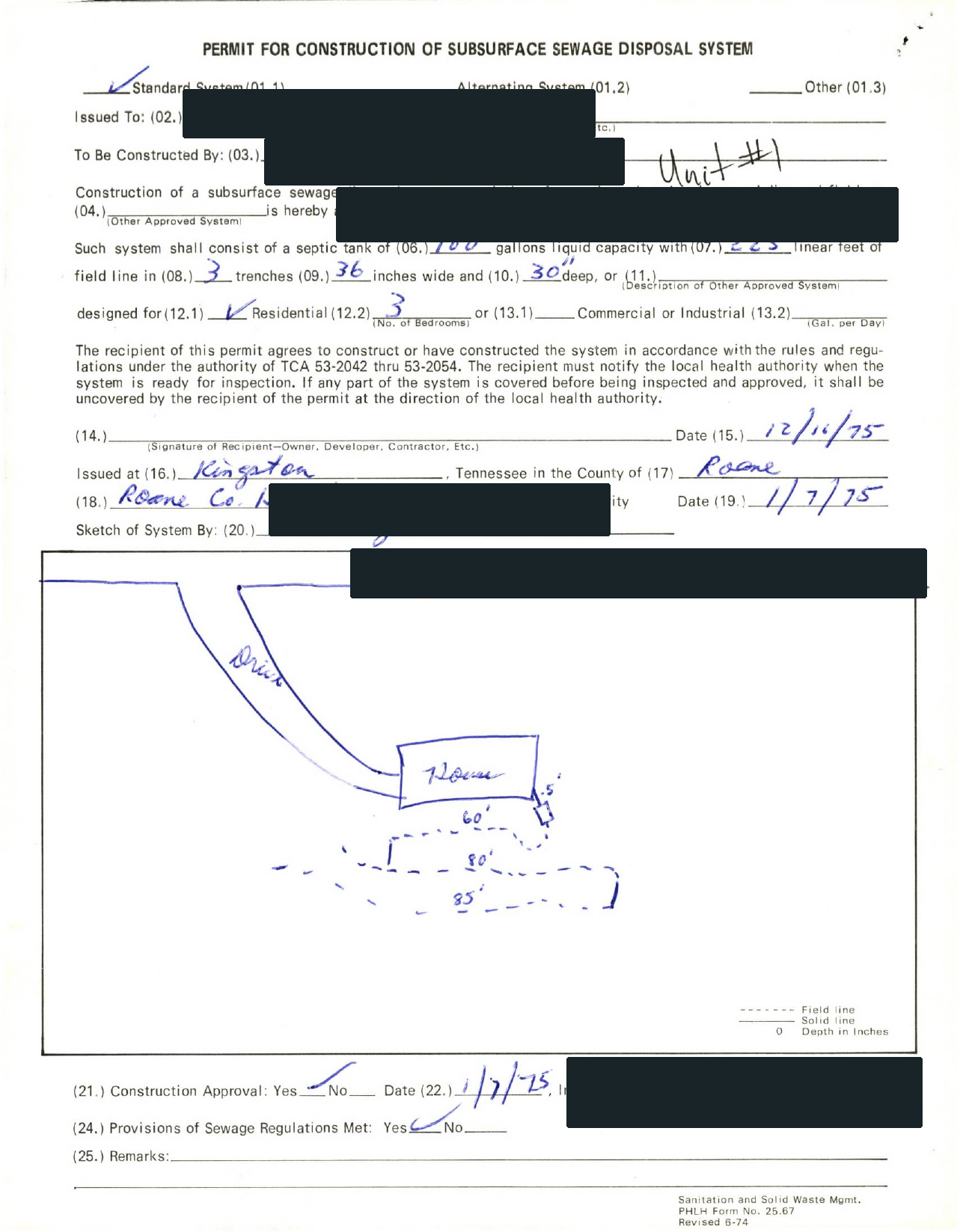
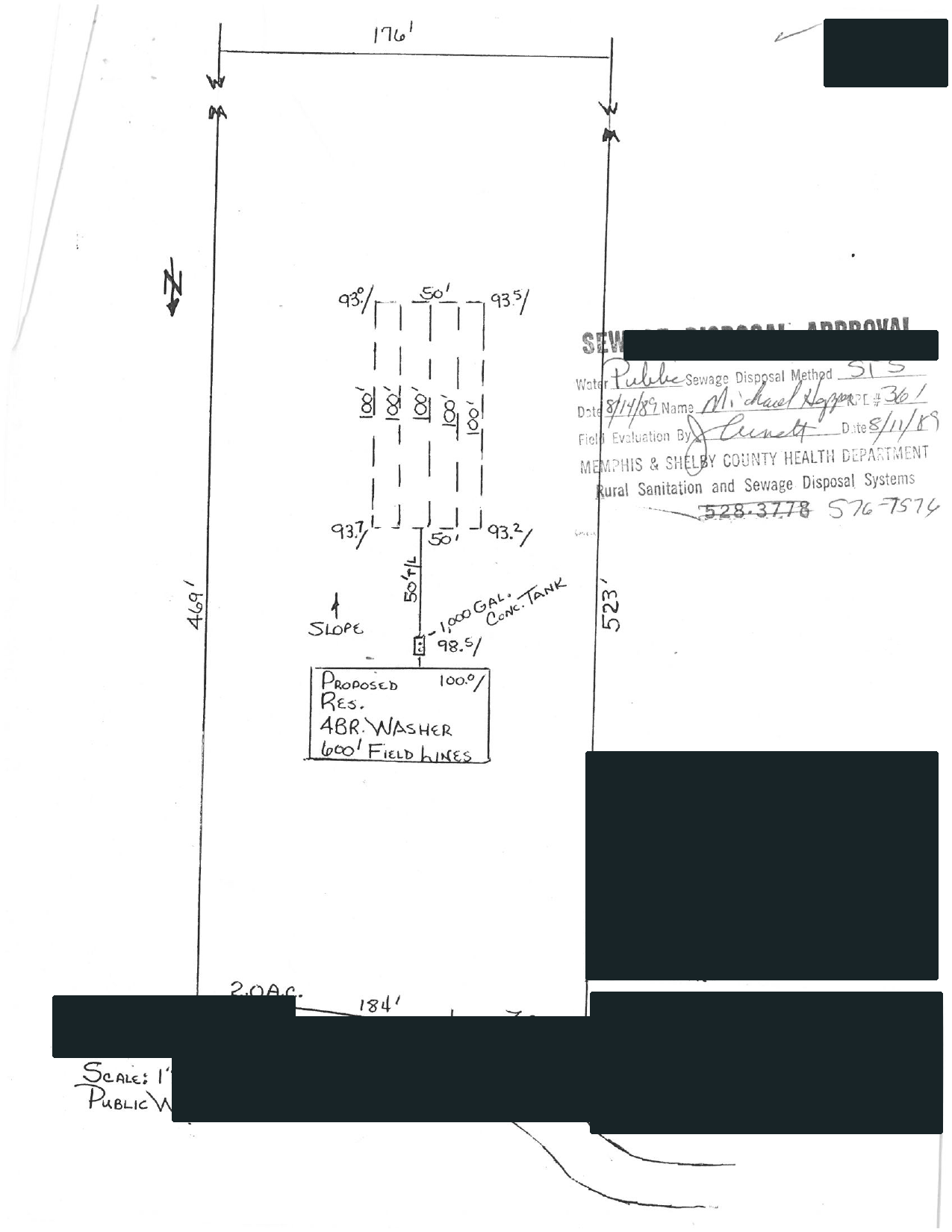
Selected full pages from separate completed requests: original agency records, hand-drawn plans, and the brief delivered after review.
Swipe to compare the original pages Document 1 of 3
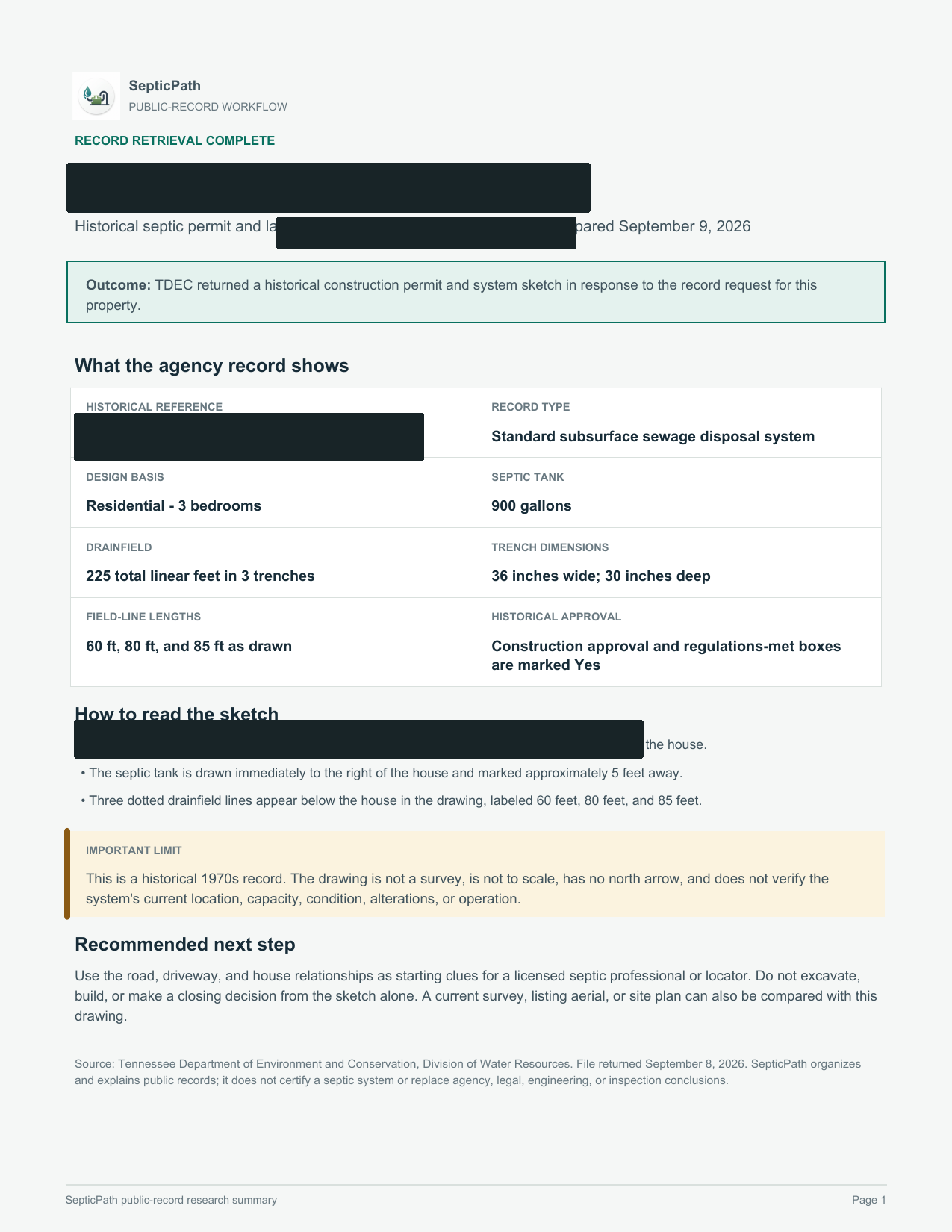
What this helps withA starting point for discussing the layout with a septic professional.
What it does not proveThis is an approved design, not proof of the system’s current location or condition.
Open the delivered brief ↗Privacy reviewed: black bars remove identifying details; agency language, form structure, system data, and drawing geometry remain visible. Samples are from separate requests, not one property file. Record availability varies by property and jurisdiction.
Use a full U.S. address so the next click starts with the office most likely to own the parcel file.
Open the county route first, then check its depth label. Some routes have county-specific preparation; others confirm only an official place to start.
Pull the permit copy, as-built, final approval, repair file, inspection letter, or written no-record response before pricing.
The public link only identifies where to start. A useful property answer comes from matching the right file, reading what it confirms, and keeping its limits visible.
Older files may be indexed by a prior owner, subdivision, permit number, or tax-map reference. A blocked viewer is an access failure. A written office response is stronger evidence than a blank screen.
Ask SepticPath to investigate the missing file →Empty search, missing drawing or blocked portal? Follow the next steps →
Have the file? Learn how to read the drawing →
Need the tank or drainfield location? Read the address-to-drawing guide →