Property record workflow

Septic Records by County

Choose the county first. County pages route you to the official permit copy, as-built, inspection letter, repair file, or records office instead of leaving you on a generic septic overview.

Ask SepticPath to investigate →
Start with the property

Enter the address to find the right office

A full address resolves the county and starts the official route. If the public search stops, SepticPath can investigate the record and contact the responsible office for you.

Your address is used to resolve the county through the U.S. Census lookup. SepticPath does not add it to a server-side property database; if you continue the task, the address and progress can stay in this browser for up to 30 days so you can return.

You get: the county match, route confidence, first record to seek, and a reusable checklist.

Do not have the full address? Find the record route by county name

Already have a file? Have a permit, drawing, letter, or screenshot? Skip county search and start from the document on your device.
REAL WORK SAMPLES

We chase the file. Then make it usable.

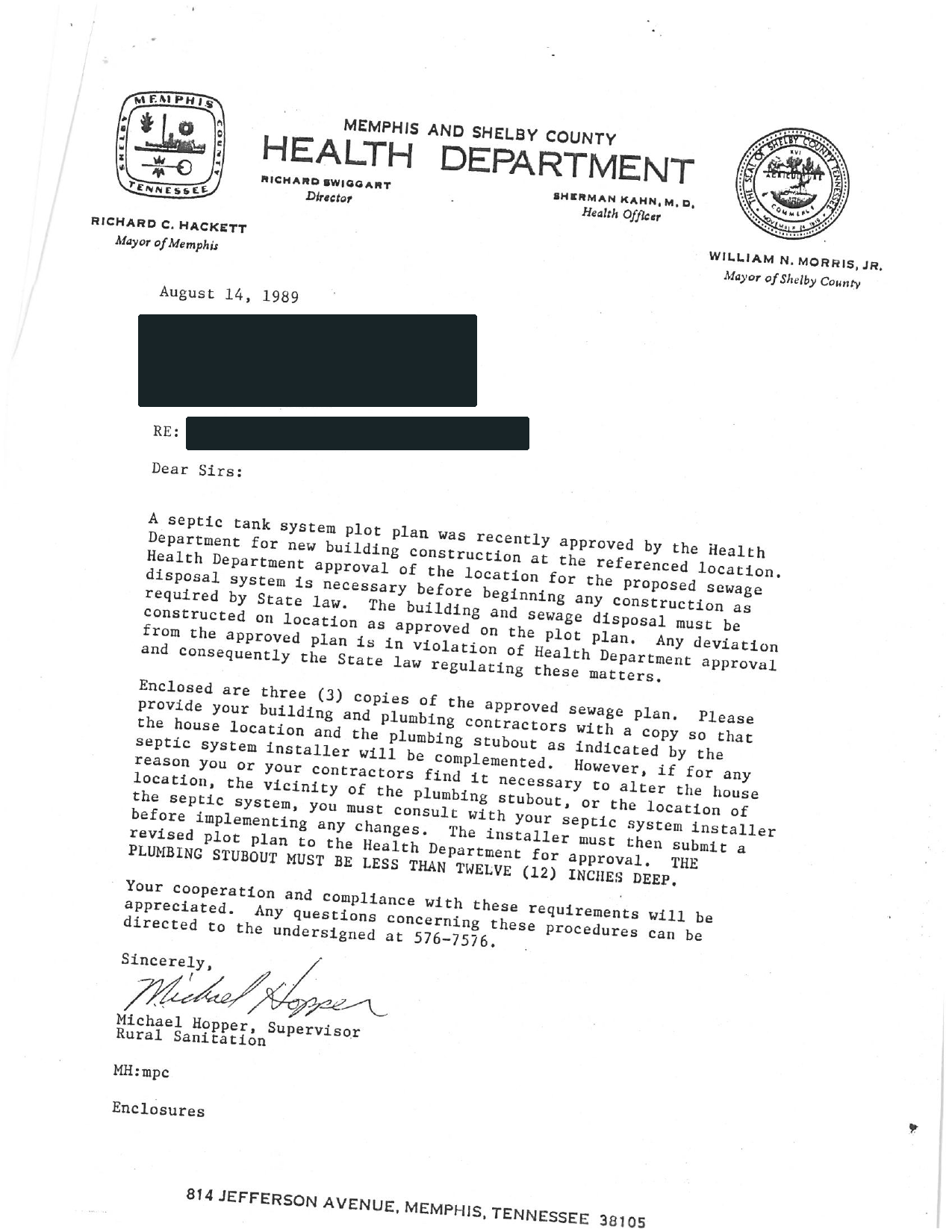
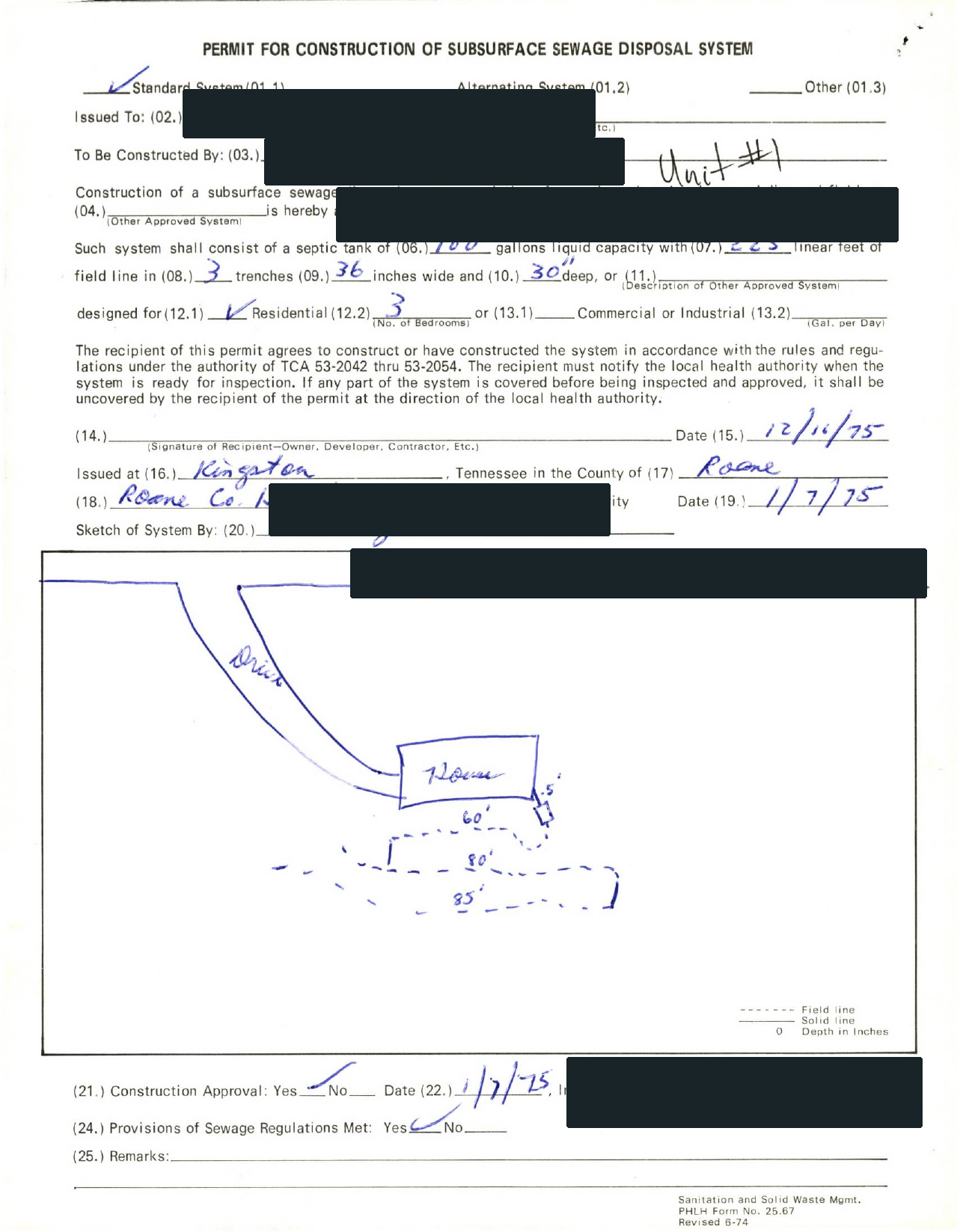
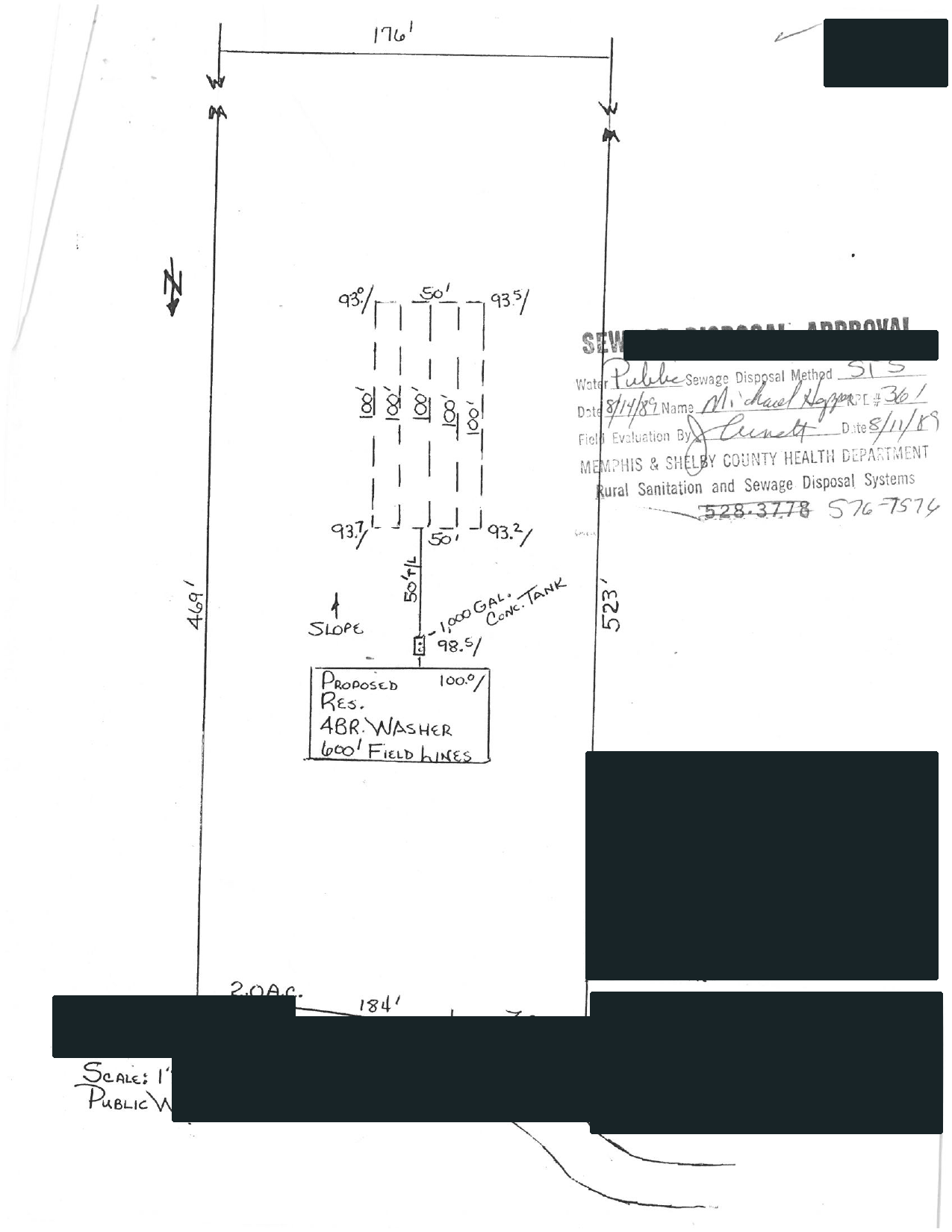
Selected full pages from separate completed requests: original agency records, hand-drawn plans, and the brief delivered after review.

01 / RECEIVED FROM THE COUNTY

Swipe to compare the original pages Document 1 of 3
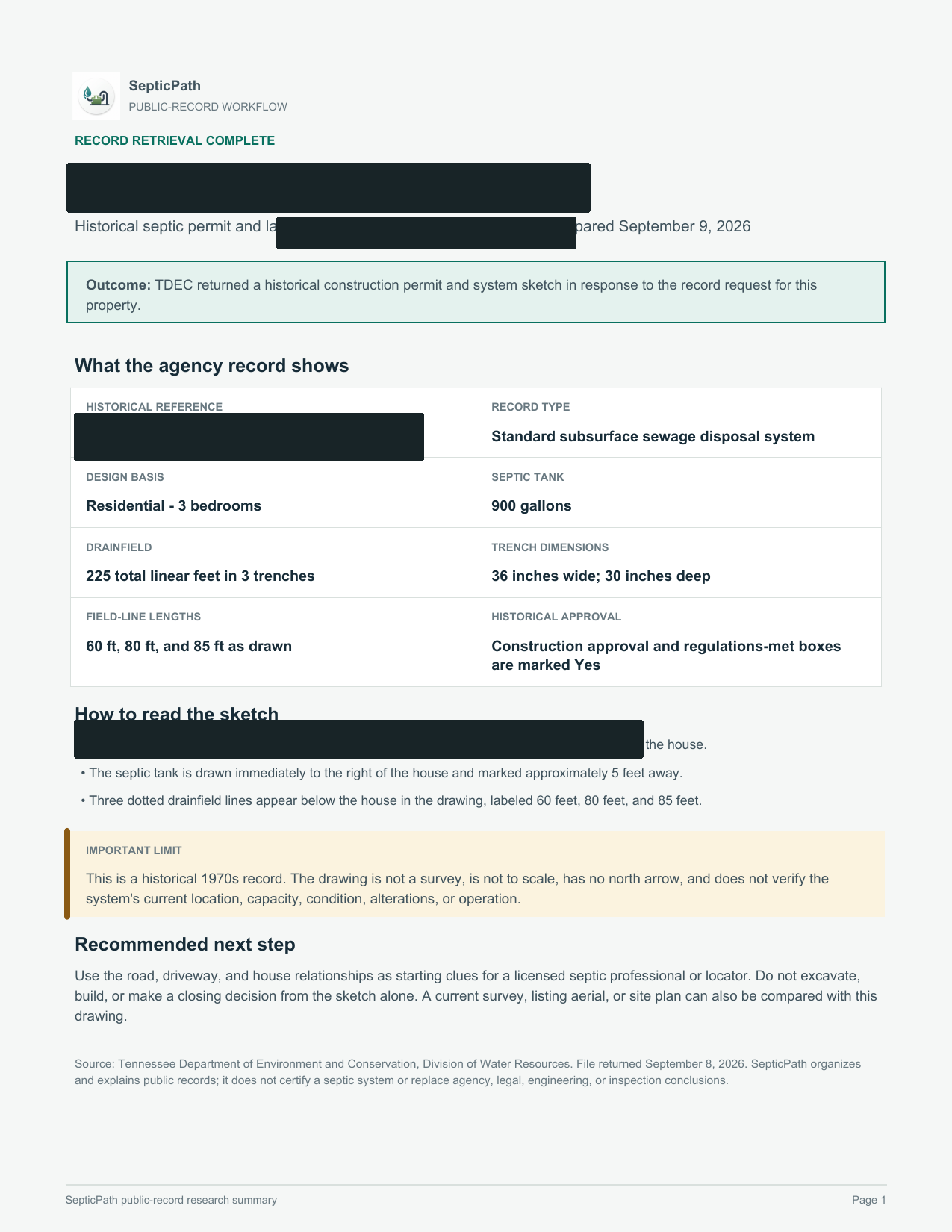
02 / EXPLAINED BY SEPTICPATH
SepticPathRECORD BRIEF
Nearly full page of a SepticPath Record Brief with the property identifiers redacted

What this helps withA starting point for discussing the layout with a septic professional.

What it does not proveThis is an approved design, not proof of the system’s current location or condition.

Open the delivered brief ↗

Privacy reviewed: black bars remove identifying details; agency language, form structure, system data, and drawing geometry remain visible. Samples are from separate requests, not one property file. Record availability varies by property and jurisdiction.

  1. Search public sources
  2. Request agency files when needed
  3. Explain what comes back
Investigate my property Send the address and what you need to find out.
Document excerpt

Actual county record retrieval · Identifying details removed

Search beyond the street addressWhat information should I gather?
A defensible search

Carry more than the street address

Government archives may be indexed under an earlier owner, parcel, subdivision, lot, legal description, or permit number. A failed address search is not proof that no file exists.

Search clues
Address, parcel/APN, current and prior owner, subdivision, lot, legal description, permit number.
Useful documents
Permit/application, soil or site evaluation, approved plan, as-built, final approval, repair history.
Safe fallback
Ask the file owner for a written no-record response and the next archive or delegated office to contact.
County finder

Search the county route instead of stopping at the national guide.

Use this when you know the state or county but do not have a complete property address.

327 counties 50 states Online searches and request routes
More filters
327 county routes searchable Showing the strongest matches first.
Popular county routes
Alamance County, NC records
County records path first
Start with: Any improvement permit, construction authorization, repair permit, or existing-system inspection tied to the parcel. Request Alamance records for an existing septic property
Horry County, SC records
Online search plus county file request Parcel search available
Start with: The Horry County parcel anchor: TMS or parcel ID, owner, address, subdivision, property card, GIS map, or tax-map clue from the official county source. Open Horry County septic permit copy and records lookup path
Greenville County, SC records
Online search plus county file request Parcel search available
Start with: The Greenville County parcel anchor: TMS or parcel ID, owner, address, subdivision, property card, GIS map, or tax-map clue from the official county source. Open Greenville County septic permit copy and records lookup path
Montgomery County, TN records
County records path first
Start with: Any SSDS permit, approval, or record-search result tied to the parcel address or parcel ID. Open the official TDEC public-records form
Charleston County, SC records
Online search plus county file request Parcel search available
Start with: The Charleston County parcel anchor: TMS or parcel ID, owner, address, subdivision, property card, GIS map, or tax-map clue from the official county source. Open Charleston County septic permit copy and records lookup path
Wake County, NC records
County records path first
Start with: The scanned septic permit and all Permit Portal attachments tied to the parcel. Wake County iMAPS septic permit search guide
Spartanburg County, SC records
Online search plus county file request Parcel search available
Start with: The Spartanburg County parcel anchor: TMS or parcel ID, owner, address, subdivision, property card, GIS map, or tax-map clue from the official county source. Open Spartanburg County septic permit copy and records lookup path
Forsyth County, NC records
County records path first
Start with: The septic tank permit and soil evaluation sheet for the parcel. Request a Forsyth septic permit and soil evaluation
Blount County, TN records
Records request or email
Start with: Any SSDS approval on file, including the date approved and authorized bedroom count. Request Blount SSDS records or choose a separate inspection letter
Anderson County, SC records
Online search plus county file request Parcel search available
Start with: The Anderson County parcel anchor: TMS or parcel ID, owner, address, subdivision, property card, GIS map, or tax-map clue from the official county source. Open Anderson County septic permit copy and records lookup path
Tarrant County, TX records
County records path first
Start with: Any Tarrant County official record or recorded document tied to the property that helps confirm the septic paper trail. Confirm Tarrant OSSF jurisdiction and request the file
Guilford County, NC records
Records request or email
Start with: The improvement permit, construction authorization, operation permit, septic layout, or existing-system authorization. Open Guilford County GIS Data Viewer
After the handoff

Continue from the result you actually received

I downloaded a permit or PDF

Save the original. Compare the address and parcel, permit number, approved use or bedrooms, installed layout, final approval, and later repairs. Do not infer current condition from an old permit.

The portal returned no result

Retry with alternate identifiers, then contact the office. Only a written office response should be treated as a confirmed no-record result.

The file exists but is incomplete

Name the missing artifact and request it directly. If the installed layout or current condition still cannot be established, a professional locate or inspection may be the next step.

Independent guide. SepticPath is not a government agency and does not certify record existence, compliance, or system condition. Last review activity:

Questions and supporting guidance

Are septic records usually held by the county?

Often yes once the county is known, but some states keep central searches, regional offices, contract-county routing, or delegated local authority. Use the state page when ownership is unclear.

What should I ask the county for first?

Ask for the permit copy, as-built or site sketch, final approval or operation permit, and any repair or inspection letter tied to the property.

What if the county says no record was found?

Retry with parcel ID, owner name, legal description, subdivision, lot number, or older scanned records before assuming the system is undocumented.