An address search is a starting point, not proof that a record exists. Resolve the county, then retry with parcel, owner, legal-description, subdivision, or permit-number clues when the first search is incomplete.
What you receive hereThe county, likely file owner, verified official route, useful search fields, and the next step for found, missing, blocked, or incomplete files.
Prefer a human search?We’ll investigate public sources, contact the responsible office when needed, and explain what comes back.
A full address resolves the county and starts the official route. If the public search stops, SepticPath can investigate the record and contact the responsible office for you.
Already have a file?Have a permit, drawing, letter, or screenshot?Skip county search and start from the document on your device.
County route found
Property record route
A route is only the starting point.Want help getting the actual file or understanding what it says? Ask us to continue from your saved property details.
When a direct file exists: The original record still opens on the government or county site. Otherwise the official route may require a search, form, call, login, or request there; this page keeps your place for 30 days.
Office contact and search steps
Responsible office or official source
Back from the official site?
What happened?
Your answer stays on this device for 30 days so the next visit can continue from here.
Your septic property file
Add the records you found.
Add a downloaded file, phone screenshot, or text copied from the official page or email. Each source updates one shared checklist and shows conflicts between records.
Add the first record
Or paste text from the official page or email
Continuing a saved session?
PDF, TXT, PNG, or JPG; maximum 10 MB per source. Originals and OCR images are never saved. The extracted summary stays only in this tab unless you choose “Save session for later.”
From the search to the answer
When an old septic record has no current street address
Work from the property toward the document. An old owner name or road name can help locate a candidate, but several clues should agree before you rely on it.
Establish today's parcel. Use the official property record to identify the parcel and legal description. A mailing address alone can point to the wrong place.
Collect earlier identifiers. Look for prior owner names, subdivision and lot, older road names, permit references, or recorded parcel changes.
Compare the whole packet. Check visible property identifiers and the sketch's orientation and neighboring features. Do not resolve a conflict just because the email subject uses the right address.
State what remains uncertain. If the older file cannot be linked securely, ask the custodian to confirm it. Keep it separate from the verified property packet.
A boundary change, nearby lot, or similar owner name can explain a tempting but incorrect result. Preserve the uncertainty instead of filling the gap with an assumption.
Actual request · Overton County, Tennessee · limited match
The archive found a repair record—but it had no street number.
Public sources did not supply a directly accessible permit or layout. We connected the current property to earlier owner and road-name clues and included those clues in the TDEC archive request.
The returned file documented a 1993 repair. The former-owner and road wording supported a possible connection, but the document did not print the modern street number. We disclosed that limitation with the delivered record instead of claiming a certain property match.
That distinction matters: finding a plausible historical file is useful progress, but its system specifications must not become confirmed facts about today's property until the identity link is secure. A correct request subject or agency reply does not supply a missing identifier on the attachment.
The clues found a file. They did not prove the match.
We followed historical identity clues, then kept the missing modern street number visible.
CURRENT PARCEL
FORMER OWNER
ROAD WORDING
1993 REPAIR FILE
SUPPORTED CLUESOwner + road
MISSING IDENTIFIERModern street number
LIMITED MATCH
WHAT THE RETURNED FILE STATES
The candidate repair record lists the values below. We did not present them as confirmed current-property facts.
Residence in file
3 bedrooms
Tank in file
1,000 gal · 2 compartments
Field in file
≈200 ft
SepticPath-created identity-chain summary. The returned historical file is a limited match, not proof of the current property's system or condition.How we reached this finding
Start: establish the current parcel and collect prior-owner and road-name clues.
Request: give those clues to the TDEC archive rather than searching only the modern address.
Qualify: disclose that the returned attachment lacks the modern street number and keep the match limited.
Send the address. We’ll check the record route and contact the relevant office when needed. You receive what we find, free. Agency fees only with your approval.
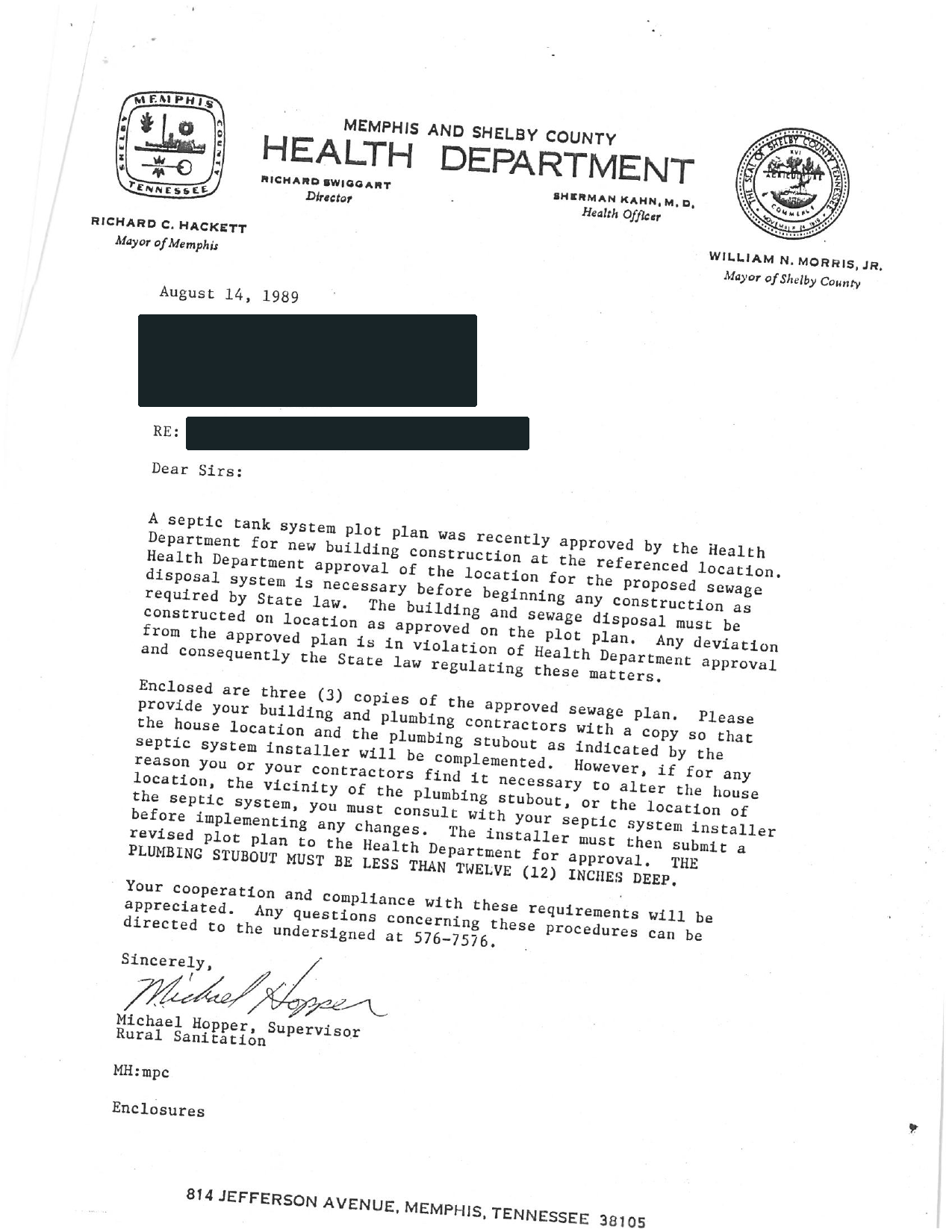
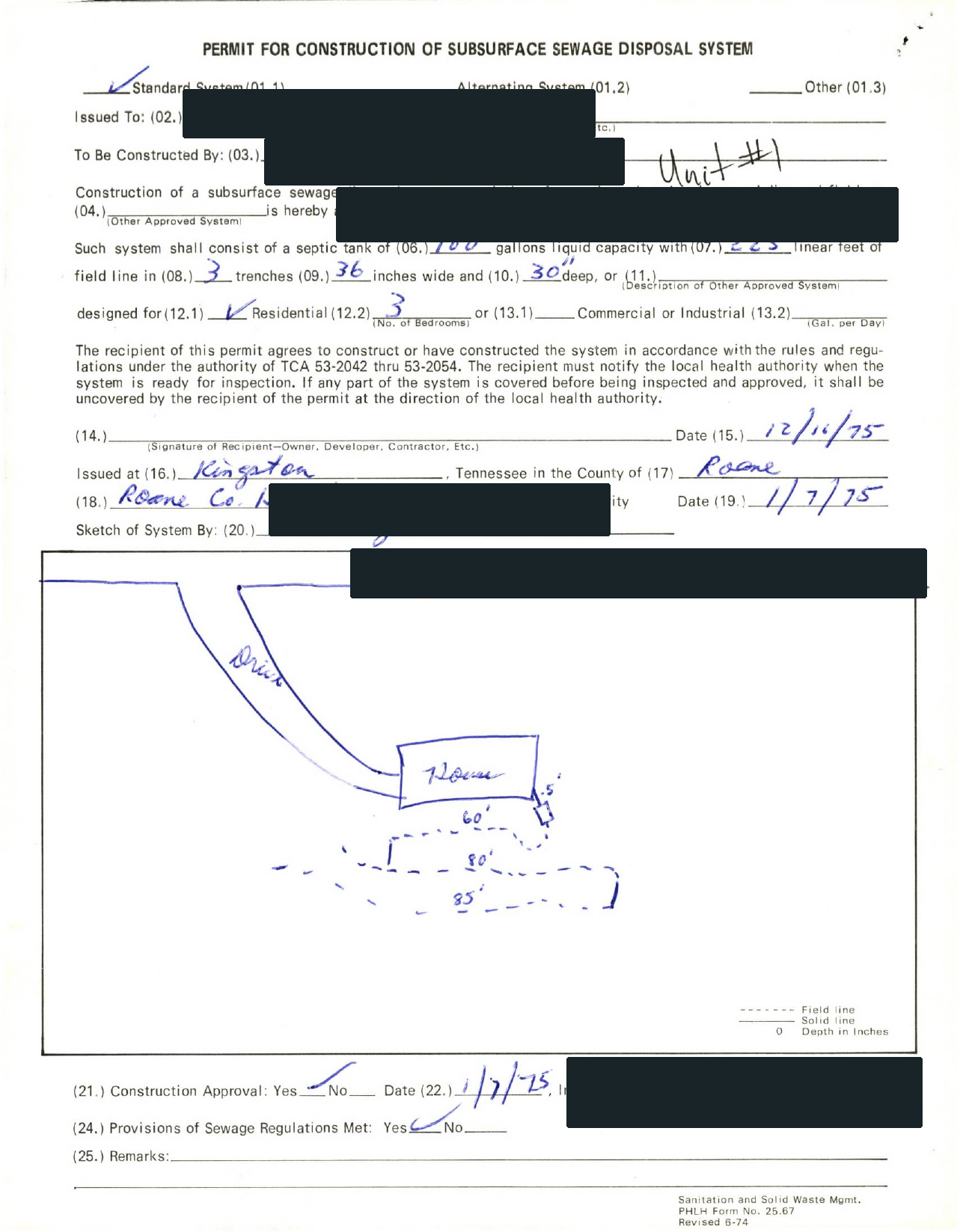
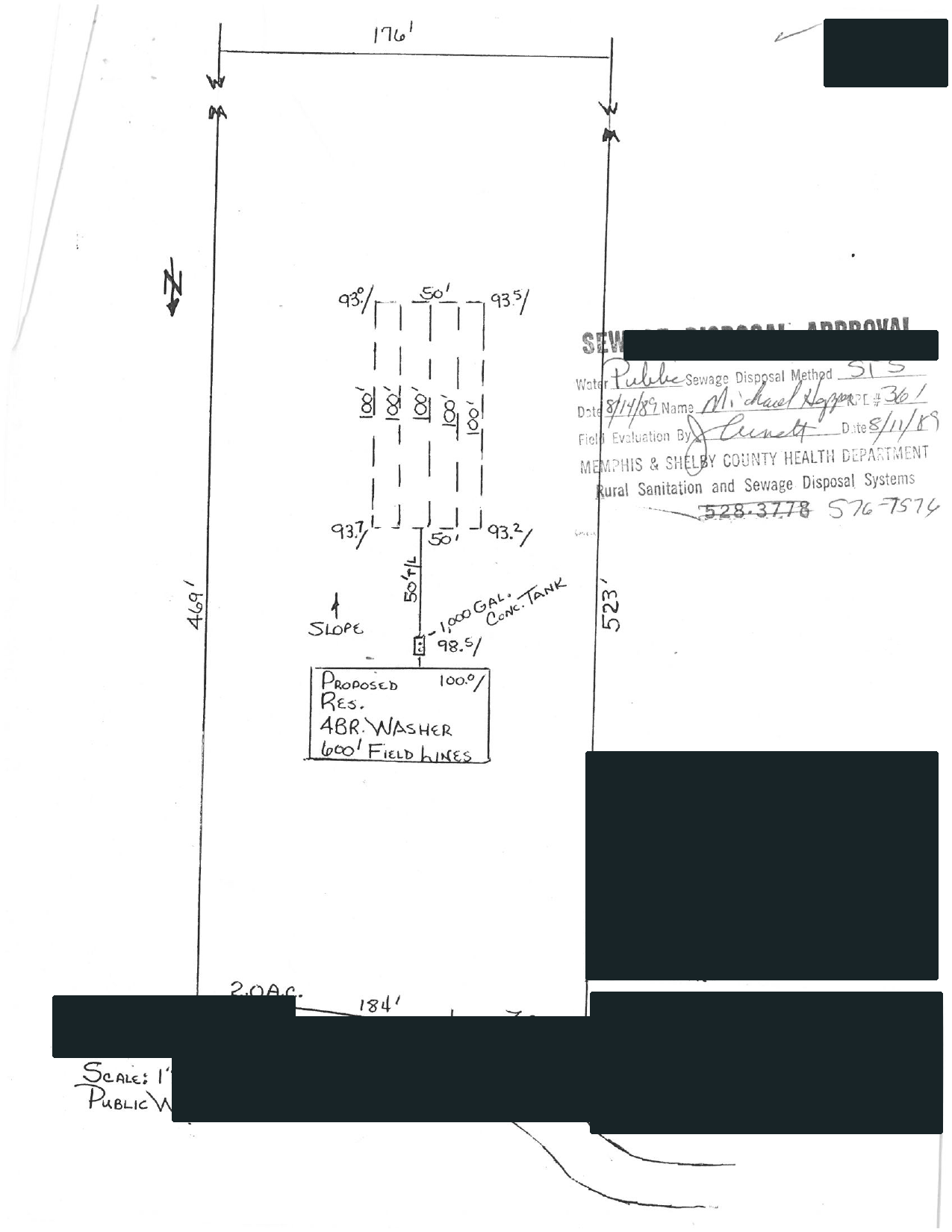
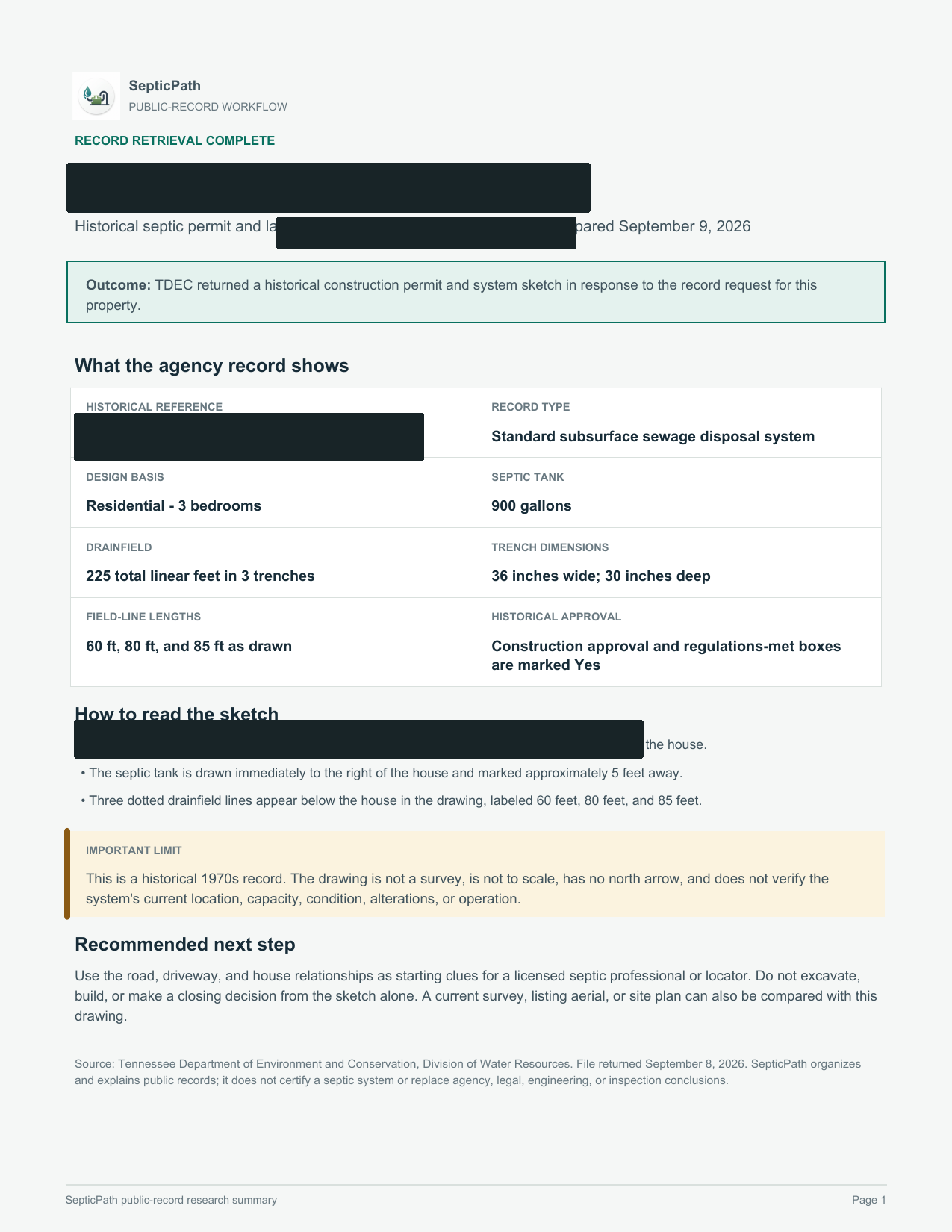
Privacy reviewed: black bars remove identifying details; agency language, form structure, system data, and drawing geometry remain visible. Samples are from separate requests, not one property file. Record availability varies by property and jurisdiction.
Government archives may be indexed under an earlier owner, parcel, subdivision, lot, legal description, or permit number. A failed address search is not proof that no file exists.
Search clues
Address, parcel/APN, current and prior owner, subdivision, lot, legal description, permit number.
Useful documents
Permit/application, soil or site evaluation, approved plan, as-built, final approval, repair history.
Safe fallback
Ask the file owner for a written no-record response and the next archive or delegated office to contact.
County finder
Search the county route instead of stopping at the national guide.
Use this when you know the state or county but do not have a complete property address.
327 counties50 statesOnline searches and request routes
More filters
327 county routes searchableShowing the strongest matches first.
No matching county route yet. Try the state name, a nearby county, or open the state records lookup.
After the handoff
Continue from the result you actually received
I downloaded a permit or PDF
Save the original. Compare the address and parcel, permit number, approved use or bedrooms, installed layout, final approval, and later repairs. Do not infer current condition from an old permit.
The portal returned no result
Retry with alternate identifiers, then contact the office. Only a written office response should be treated as a confirmed no-record result.
The file exists but is incomplete
Name the missing artifact and request it directly. If the installed layout or current condition still cannot be established, a professional locate or inspection may be the next step.
Related workflows
Independent guide. SepticPath is not a government agency and does not certify record existence, compliance, or system condition. Last review activity:
Questions and supporting guidance
Can I search septic permits by address?
Often yes, but many offices also require parcel ID, owner name, legal description, subdivision, lot number, or permit number when the address search is incomplete.
What does it mean if an address search finds nothing?
It does not automatically mean no septic permit exists. The record may be older, scanned, filed under a prior owner, or indexed under parcel or legal description.
What should I check after finding a permit?
Look for final approval, as-built, operation permit, repair history, inspection letter, and any complaint or violation notes.