One county.
One clear record route.
Choose the county. We’ll identify the current permit authority, the likely historical file owner, and what to request.
Find the record route- Accurate guidance
- Current and historical routes
- Clear next steps
17 counties use DEP; 50 still use county health departments
Older records may remain with the county health department even where DEP handles new permits now.
Agency sent you to SepticSearch?
Follow the Carmody / SepticSearch search steps →
Franklin County’s official environmental-health page links to this platform. Other counties may use a different records system; start with the county below.
Route the county before searching
- 1 County
- 2 Property clue
- 3 Record route
Carry these match keys
Open the current authority
Keep this tab open. If the current authority cannot find an older file, use the historical-record fallback below.
Ask for the complete OSTDS file
- Application and construction permit
- Site evaluation and site plan
- Building floor plan in the permit packet
- Final inspection or final approval
- Repair, modification, abandonment, and operating records
- This self-serve tool
- identifies the current authority, historical fallback, and the property clues to carry into the official search.
- Tool limits
- It does not query DEP or county systems, retrieve a permit, or certify property condition or compliance.
We chase the file. Then make it usable.
Selected full pages from separate completed requests: original agency records, hand-drawn plans, and the brief delivered after review.
Swipe to compare the original pages Document 1 of 3
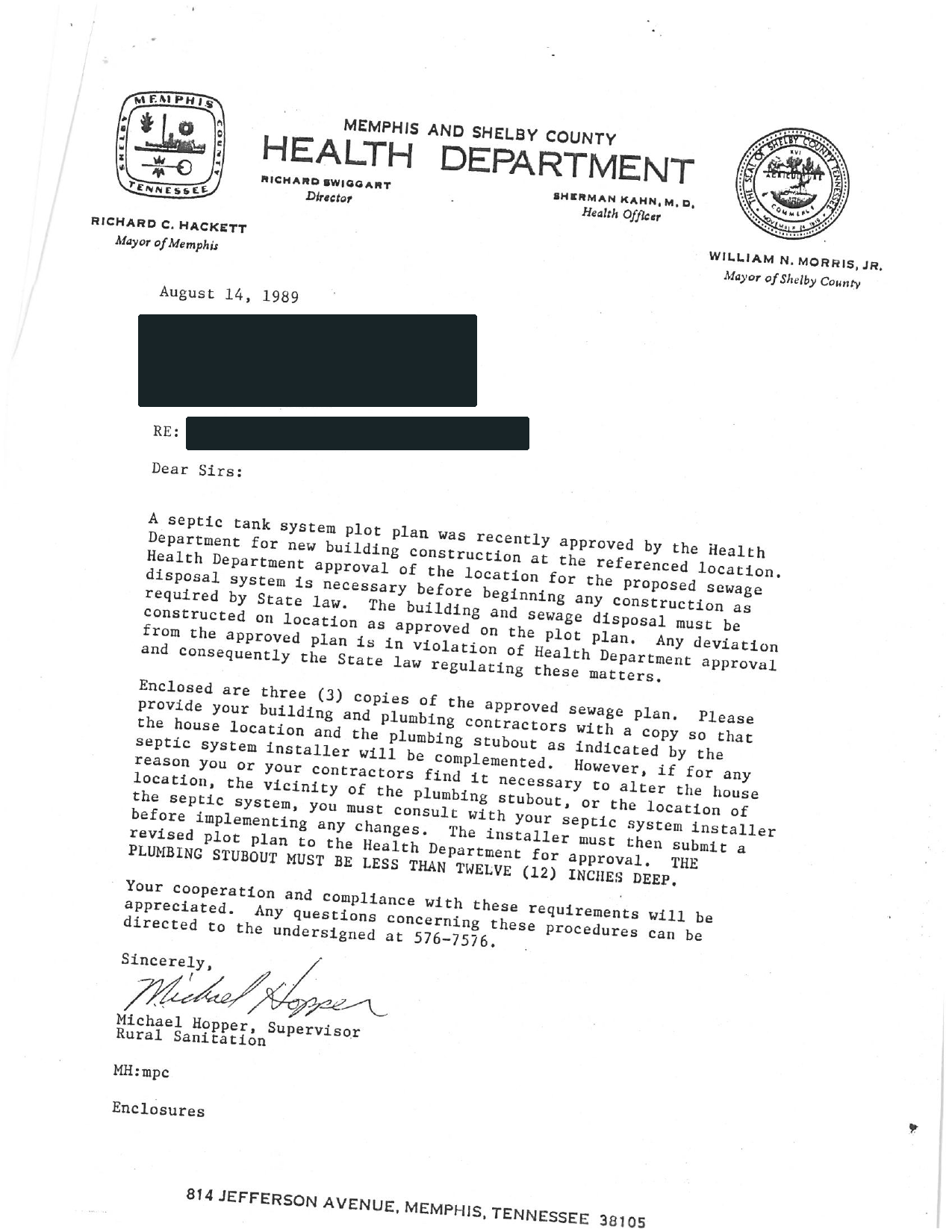
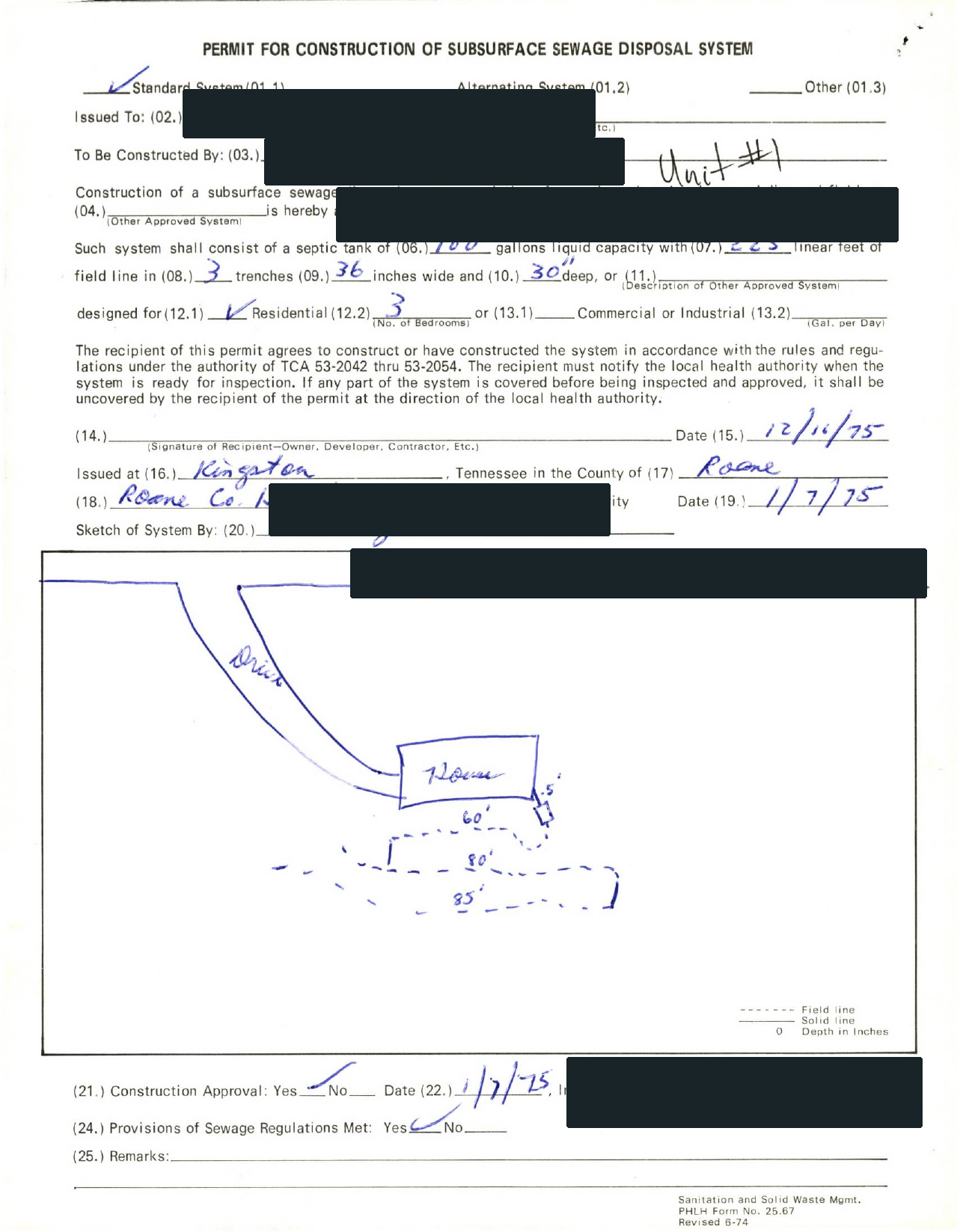
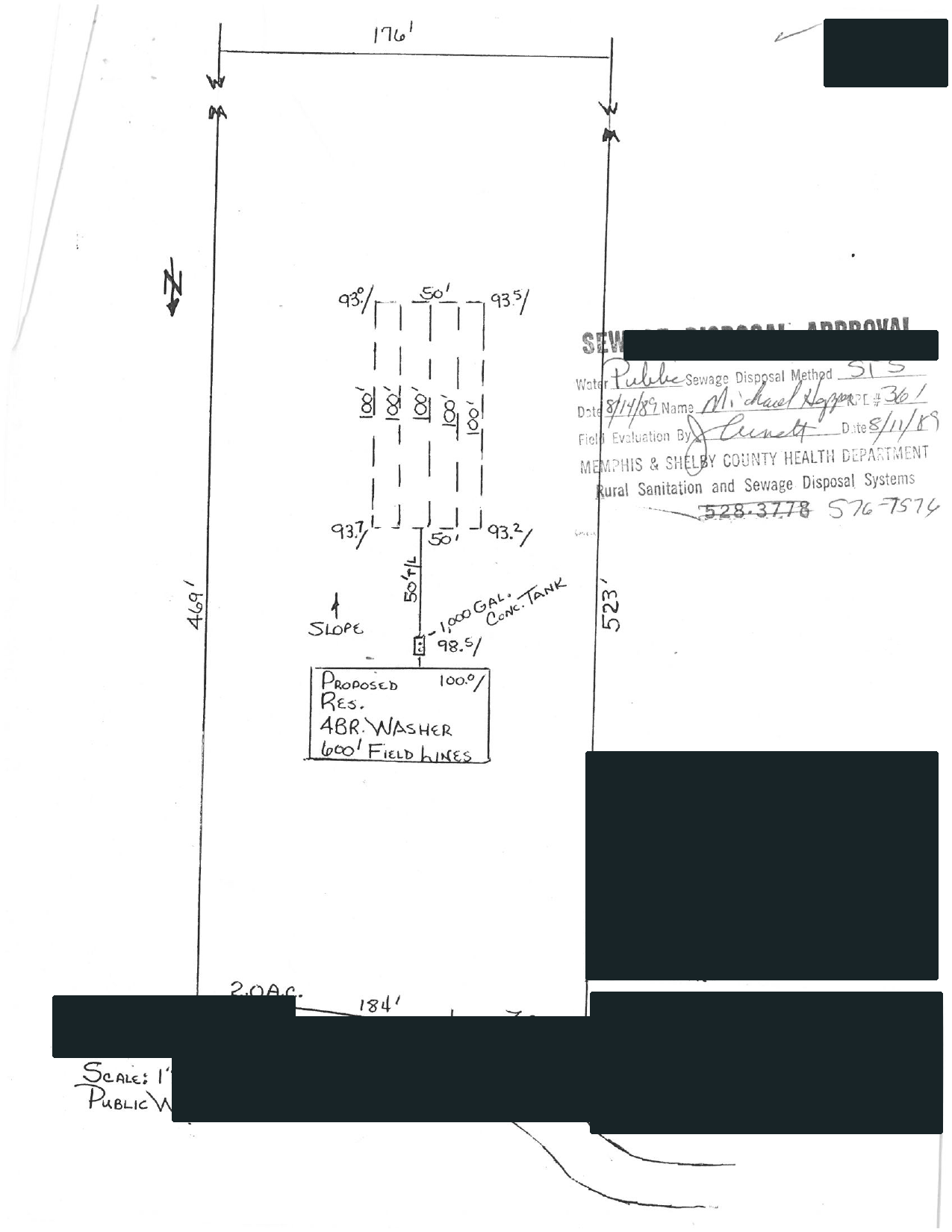
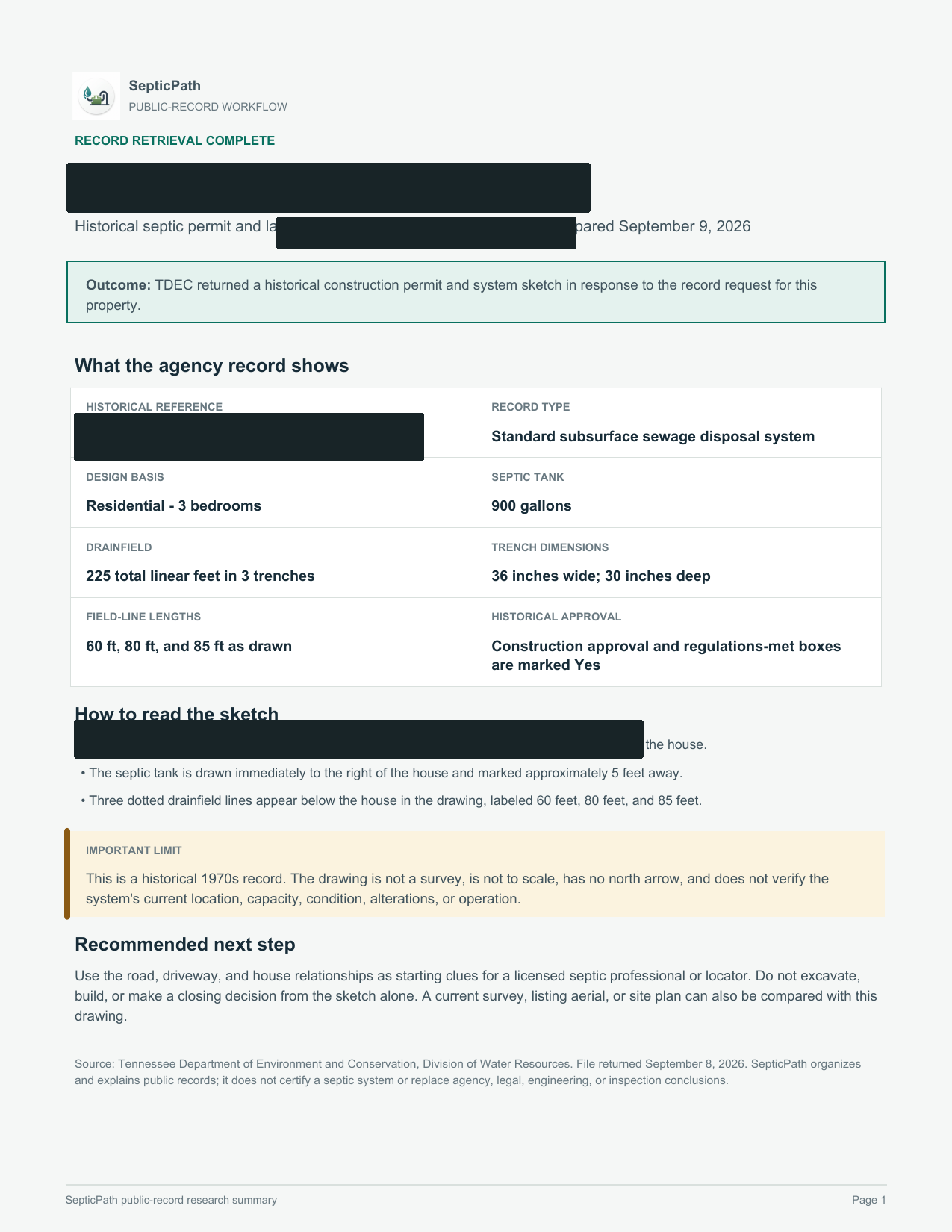
What this helps withA starting point for discussing the layout with a septic professional.
What it does not proveThis is an approved design, not proof of the system’s current location or condition.
Open the delivered brief ↗Privacy reviewed: black bars remove identifying details; agency language, form structure, system data, and drawing geometry remain visible. Samples are from separate requests, not one property file. Record availability varies by property and jurisdiction.
- Search public sources
- Request agency files when needed
- Explain what comes back
Come back after the official search.
SepticPath will keep the next step on this device for 30 days. Property identifiers are not included in reminders or return links.
I’m back — record what happenedContinue without starting over
What happened?
A current permit portal and a historical property archive are not always the same system.
I found the OSTDS documentsCheck the property match and final approval
Match county, address or parcel, owner, permit number, and dates. Confirm the approved plan and final inspection, then look for later repair or abandonment records.
Add and review the official fileThe portal has no older recordAsk the county health department for the historical file
In transitioned counties, DEP may handle current permits while the county health department still has older property files. Request both before treating the file as missing.
No result appearedRetry parcel, owner, street-only, and permit number
An empty online result is not a confirmed no-record response. Retry alternate keys, then send a manual request.
The office confirmed no recordPreserve the response and clarify both archives
Ask whether DEP and the county health department were both checked, including pre-digital records and prior owners. Keep the written response with the property file.
Prepare an OSTDS file request
Use this wording with the county health department and, for transitioned counties, the DEP Onsite Sewage Program.
Official-source notes
Florida DEP's January 2026 guidance lists the 17 DEP-permitted counties and the 50 counties still permitted through local DOH Environmental Public Health programs.
Independent guide. SepticPath is not affiliated with DEP, DOH, or a county and cannot certify permit status, condition, or compliance.