This page is maintained as conservative homeowner guidance and updated when linked official materials or local workflow notes change.
Alabama Septic Records Checklist
Alabama records work is less about one statewide file and more about getting the right county health department file in hand. If the homeowner cannot surface the Approval for Use and Permit to Install, the low end is still just a planning story.
Decision router Decision router for Alabama records work Use this when the records page is still broad and you need the fastest route to the county file, first artifact, and pricing gate.
Resolve first
Pull the county file and match it to the parcel before you trust any seller, owner, or contractor story.
Pull first
Parcel identifier, address, owner name, or permit number needed to pull the county file.
Escalate to county when
You already have the parcel, address, or owner in hand and the next real move is pulling the county file.
Hold pricing when
Do not move into quote mode while the parcel, GIS, or records-request trail is still missing.
Find the office holding the file
Use the local office first when you want to move from a planning page into an actual permit or records workflow.
Open local authority sourceOpen the records trail first
Use the existing record trail to confirm whether this property still fits the low end before you move into quote mode.
Open records lookupState context Quick facts, fit, and workflow details Open when you need the full state context behind the answer panel.
Quick facts
| Rule style | permit_path | Override risk | high |
|---|---|---|---|
| Last verified | 2026-03-10 | Official sources | 4 |
| Local verification links | 1 | Records links | 2 |
| Public sizing signal | Conservative fallback range | Primary first call | Start with the county health department that handles onsite sewage permits, inspections, and file questions for the property. |
| County-backed first pull | Parcel identifier, address, owner name, or permit number needed to pull the county file. | Hold pricing when | Do not move into quote mode while the parcel, GIS, or records-request trail is still missing. |
File check checklist
- Open the ADPH county health department directory first and identify the local office handling onsite sewage questions for the parcel.
- Ask whether a Permit to Install, Approval for Use, or older septic file already exists before treating the project as a fresh permit path.
- Confirm whether soil testing or a previous site evaluation is already on record before you anchor to the low end.
Who this page is for
Best for Alabama buyers, owners, agents, and builders who know the property uses septic but still need to know whether the file is complete enough to trust the next quote or deal step.
- You know the parcel uses septic, but no one has confirmed which county health department actually controls the file.
- The owner says the system is permitted, but there is still no Approval for Use and Permit to Install in hand.
- You need to know whether county-file and soil-test friction makes the record trail more complicated than the owner remembers.
What changes this page in Alabama
Best for Alabama buyers, owners, agents, and builders who know the property uses septic but still need to know whether the file is complete enough to trust the next quote or deal step. Alabama records intent is strongest when the page connects county health department routing, Approval for Use and Permit to Install, and county-file and soil-test friction instead of pretending the state keeps one simple homeowner database.
Alabama homeowners usually need the county health permit path and permit records clarified before they trust an install or repair quote. The project is not permit-ready until the local office, the Permit to Install path, and the soil or file story are clearer, and the range can widen again if the Approval for Use is missing or the lot does not support a conventional path. The first practical check is usually the office, file path, or reviewer identified in this state workflow: Start with the county health department that handles onsite sewage permits, inspections, and file questions for the property.
Alabama's main wrinkle is the combination of county health department control, before-construction soil-testing risk, and Approval-for-Use file friction before the homeowner can trust a low-end range. That is why this page pairs a planning estimate with official sources, records links, and a local checklist before you move into quote mode.
Permit path summary
Alabama homeowners usually need the county health permit path and permit records clarified before they trust an install or repair quote. The project is not permit-ready until the local office, the Permit to Install path, and the soil or file story are clearer, and the range can widen again if the Approval for Use is missing or the lot does not support a conventional path.
Main estimate drivers in Alabama
- Alabama records conversations get real only after the county health department is clear.
- A thin Approval for Use and Permit to Install trail can hide the real approval story behind the current system.
- county-file and soil-test friction can matter as much as the permit copy before the homeowner trusts the low end.
How this workflow usually unfolds in Alabama
- Start with the county health department and confirm who actually holds the onsite file for the property.
- Request the Approval for Use and Permit to Install, permit file, approval path, and any transfer-related or follow-up record tied to the parcel.
- Compare the records you received against the property story so you know whether the next step is buyer diligence, permit cleanup, or replacement planning.
- Then move into pricing only after the file is strong enough to trust the current system narrative.
State Pattern Summary How county files usually break down in Alabama These county pages show the local branches that keep repeating in Alabama. This summary is built from 2 live county workflows so you can decide which county file, replacement branch, or failure-side trigger matters before you treat the first cost number like the final answer.
Parcel and records lookup
County files often start with parcel, GIS, permit-search, or formal document-request lookup before anyone trusts the seller summary.
Ask the county for: Parcel identifier, address, owner name, or permit number needed to pull the county file.
Coverage: Seen across 2 live county pages.
Seen in: Baldwin County, Madison County
Transfer and buyer diligence
Buyer and transfer risk often lives in inspection, property-status, PTI, or completion artifacts rather than a generic permit copy.
Ask the county for: Transfer inspection, property status report, PTI-backed record, or buyer-side completion proof.
Coverage: Seen across 2 live county pages.
Seen in: Baldwin County, Madison County
File owner and local office split
Alabama counties often split the real file owner between county health, a municipality, a board of health, or another local office. The first win is identifying the right desk.
Ask the county for: The exact county, municipal, board-of-health, or CEHA office that actually owns the septic file.
Coverage: Seen across 1 live county pages.
Seen in: Madison County
Most common file owner pattern
Many county workflows in Alabama still turn on identifying the correct district or local health office first. Seen in 2 county pages.
Most common permit closeout signal
County files often need a stronger closeout artifact than the first permit mention. Seen in 2 county pages.
Most common buyer or transfer artifact
The most common buyer-side county artifact is a formal transfer, status, or real-estate evaluation record. Seen in 2 county pages.
Most common special program or exception
County pages in this state still need a special-program check even when no single program dominates the workflow. Seen in 2 county pages.
Most common malfunction or repair trail
County pages in this state often move into a repair, malfunction, or off-lot-discharge branch before the low-end scope is real. Seen in 2 county pages.
Most common quote gate
The most common quote gate is a repair, malfunction, or failing-system branch that has to be cleared before pricing is trustworthy. Seen in 2 county pages.
First county artifacts to pull
- Parcel identifier, address, owner name, or permit number needed to pull the county file.
- Transfer inspection, property status report, PTI-backed record, or buyer-side completion proof.
- The exact county, municipal, board-of-health, or CEHA office that actually owns the septic file.
Drop to a county page when
- You already have the parcel, address, or owner in hand and the next real move is pulling the county file.
- The real question is closing risk, lender diligence, or inspection leverage rather than basic permit history.
- The story mentions a town, local board, or other office that does not sound like the main county file owner.
Do not quote yet when
- Do not move into quote mode while the parcel, GIS, or records-request trail is still missing.
- Do not jump to quote mode while the buyer or lender still lacks the transfer-side inspection or status artifact.
- Hold off on pricing if the caller still does not know which office actually owns the septic file.
County record pages behind this state workflow
Use these when the state page is still too broad and the real blocker is a specific county file, location request, or local records form.
Baldwin County Alabama Septic Records Checklist
Baldwin County stands out because the local office path is clear, but the record-copy path still runs through Alabama's owner-agent and records-request rules. That split makes Baldwin a real workflow page, not just another cost summary.
Open county pageMadison County Alabama Septic Records Checklist
Madison County is different because the local office path is visible through Environmental Services and the Soil and Onsite Sewage branch, but Alabama keeps the owner-agent versus non-owner file-access rules on the statewide septic page. That split is exactly where buyer and seller confusion starts.
Open county pageVerification layer Prep checks and official sources Open when you need the authority links, records sources, and low-end risk checks.
Start with this file prep
Who to call first. Start with the county health department that handles onsite sewage permits, inspections, and file questions for the property.
Records to request.
- Any Permit to Install already issued for the parcel.
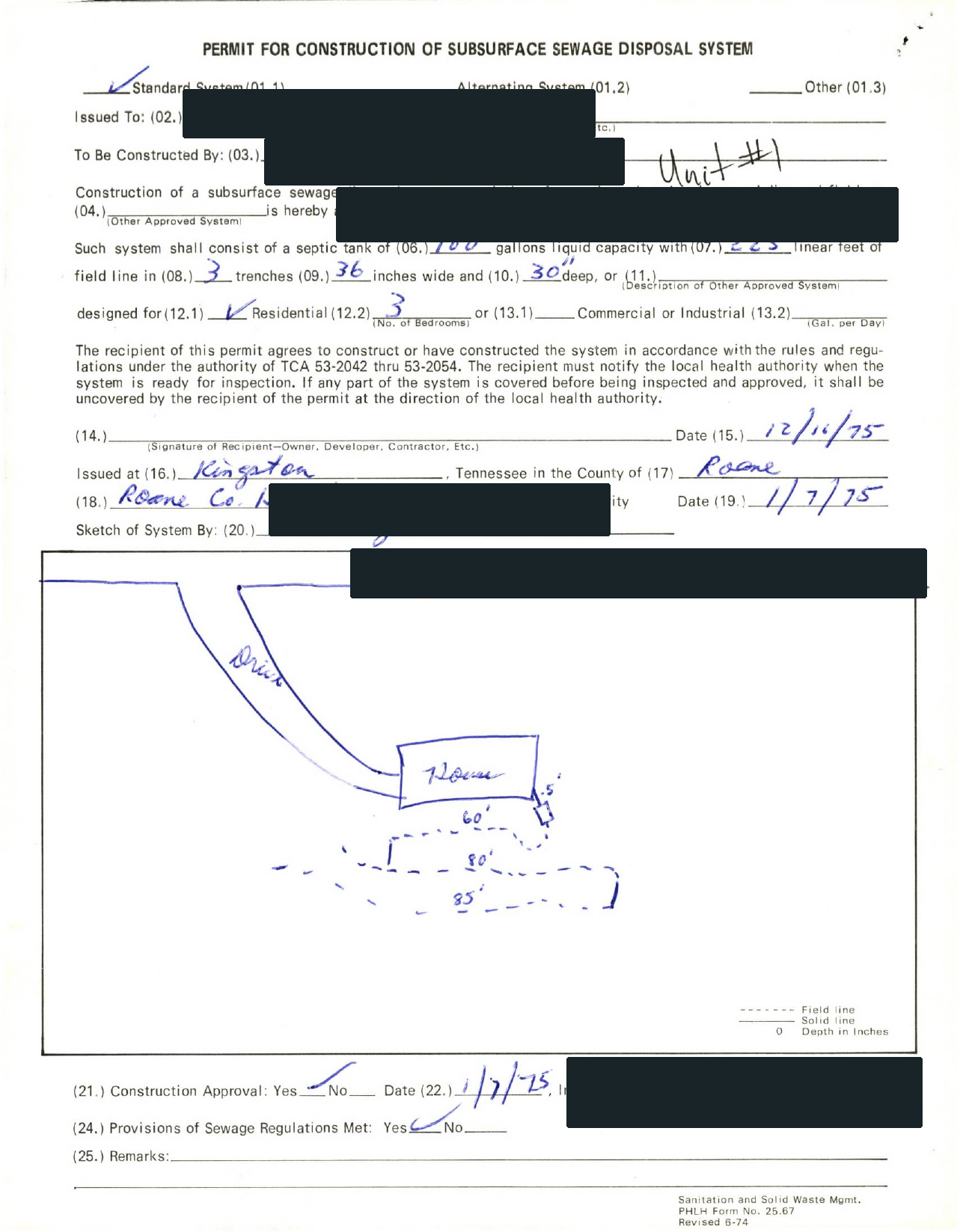
- The completed permit or Approval for Use showing the actual system diagram and installation details.
- Any soil test, percolation test, or site-evaluation note already attached to the county file.
What makes the file less trustworthy in Alabama
State-level checks.
- If the county file cannot surface an Approval for Use or older permit copy, the low end is still a planning scenario rather than a permit-ready number.
- If the lot still needs soil testing or a percolation test, the system path can widen before quotes become comparable.
- If the county health department identifies a repair or site limitation issue, the project can move beyond the cheapest install story quickly.
- Alabama looks statewide through ADPH, but the homeowner workflow changes quickly once you know which county health department holds the file and whether the Permit to Install or Approval for Use is already on record.
Page-specific checks.
- The low-end file story breaks if no one has identified the county health department holding the actual record.
- A missing Approval for Use and Permit to Install can hide a very different system path than the owner summary suggests.
- county-file and soil-test friction can make the file much more demanding than a generic record lookup implies.
Permit timeline watch
Alabama timing often turns on how quickly the county health file is found, whether soil testing is already complete, and whether the Permit to Install can move without a new round of site work.
When the missing file becomes a deal problem
Buyers should ask the county health department for the Approval for Use, Permit to Install, and any soil-test history early because closing risk in Alabama usually sits in the county file, not in the listing summary.
Maintenance / inspection note
Alabama's current source set is strongest on county health routing, Permit to Install timing, and Approval-for-Use file retrieval, not on one simple statewide maintenance cadence.
Special state wrinkle
Alabama's main wrinkle is the combination of county health department control, before-construction soil-testing risk, and Approval-for-Use file friction before the homeowner can trust a low-end range.
Bring this into the next records call
- The county health department identified for the property.
- Any Approval for Use and Permit to Install, permit file, design packet, or approval note already tied to the parcel.
- Any transfer, complaint, inspection, or follow-up record already in the file.
- A short summary of the real use case: buyer diligence, permit cleanup, replacement planning, or service-history check.
Official file and lookup links
Find the office holding the file.
- Alabama Department of Public Health Locations
Open the records trail first.
- Alabama Department of Public Health Septic Tank Systems
- Alabama Department of Public Health Locations
Alabama Department of Public Health and related official materials support this page. Final design, permit path, and approval still need local verification.
- Alabama Department of Public Health Soil and Onsite Sewage
- Alabama Department of Public Health Can I Live On This Lot?
- Alabama Department of Public Health Septic Tank Systems
- Alabama Department of Public Health Locations
Alabama questions this page should answer before a quote request.
Who holds Alabama septic records in practice?
Usually the county health department, which is the first office to identify before you ask for the Approval for Use and Permit to Install or any transfer paperwork.
Why should a Alabama homeowner ask for the Approval for Use and Permit to Install when pulling septic records?
Because the Approval for Use and Permit to Install usually tells you whether the property still fits the simple story the owner, seller, or installer is using.
Estimate before trusting permit cost or county records
Alabama quote conversations get more real once you know which county health department holds the file and whether a Permit to Install, soil test, or Approval for Use is already in view. The calculator result already shows the likely tank band, system class, cost range, and state-specific rule context. Use the file, permit, or authority path above before you move into quote mode.
Pull first. Parcel identifier, address, owner name, or permit number needed to pull the county file.
Hold quote until. Do not move into quote mode while the parcel, GIS, or records-request trail is still missing.
Related links
-
Alabama Drain Field Replacement Cost
Use this when the field layout may be the real problem rather than the tank alone.
-
Buying a House With a Septic System in Alabama
Use this when the property deal, not just the system price, is driving risk.
-
Alabama Septic Permit Process
Use this when the next office, permit step, or approval sequence is the real bottleneck.
-
Alabama septic guide
Open the Alabama guide for permit path, local office, and records workflow context.