Sources, review, and limitations
This Utah Septic Records Checklist and Permit Lookup page is maintained as conservative homeowner guidance and changes when its state evidence or workflow changes.
Already know the county? Go straight to its official record route.
Iron County records Wasatch County records Davis County records Box Elder County records All Utah county pagesUtah records lookup starts with the permit search, county file, or official office path. Utah records work is less about one statewide file and more about getting the right local health department or district engineer file in hand. If the homeowner cannot surface the soil log and percolation test results, the permit trail, and any operating permit note, the low end is still just a planning story.
Use this Utah guide to pick the right office, pull the first file, and jump to a county route when the property location is already known.
Official source: Utah Department of Environmental Quality · content reviewed 2026-03-10
| Finding an existing record | Search for the property's permit and supporting documents using its address or parcel number. If no record appears, ask the responsible office to check its archives. |
|---|---|
| Official path | Onsite Wastewater Application Forms provides official source context. The county instructions above identify the search or request route for an existing property file. |
| County handoff | Local search instructions are available for Iron County records, Wasatch County records, Davis County records. Choose the property's county to find the relevant office and records route. |
| Proof to pull | Any soil log, percolation test result, or site note already tied to the parcel. |
This Utah Septic Records Checklist and Permit Lookup page is maintained as conservative homeowner guidance and changes when its state evidence or workflow changes.
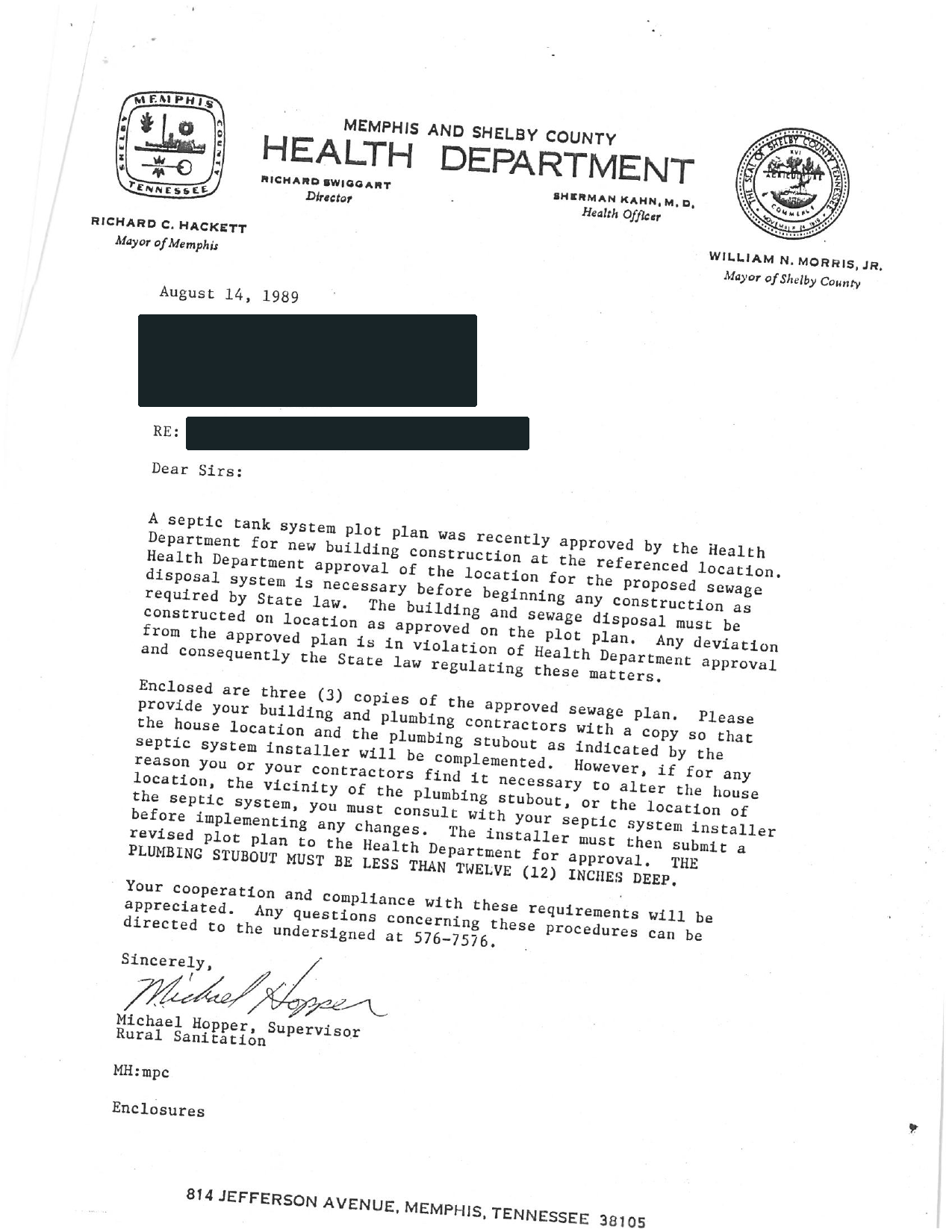
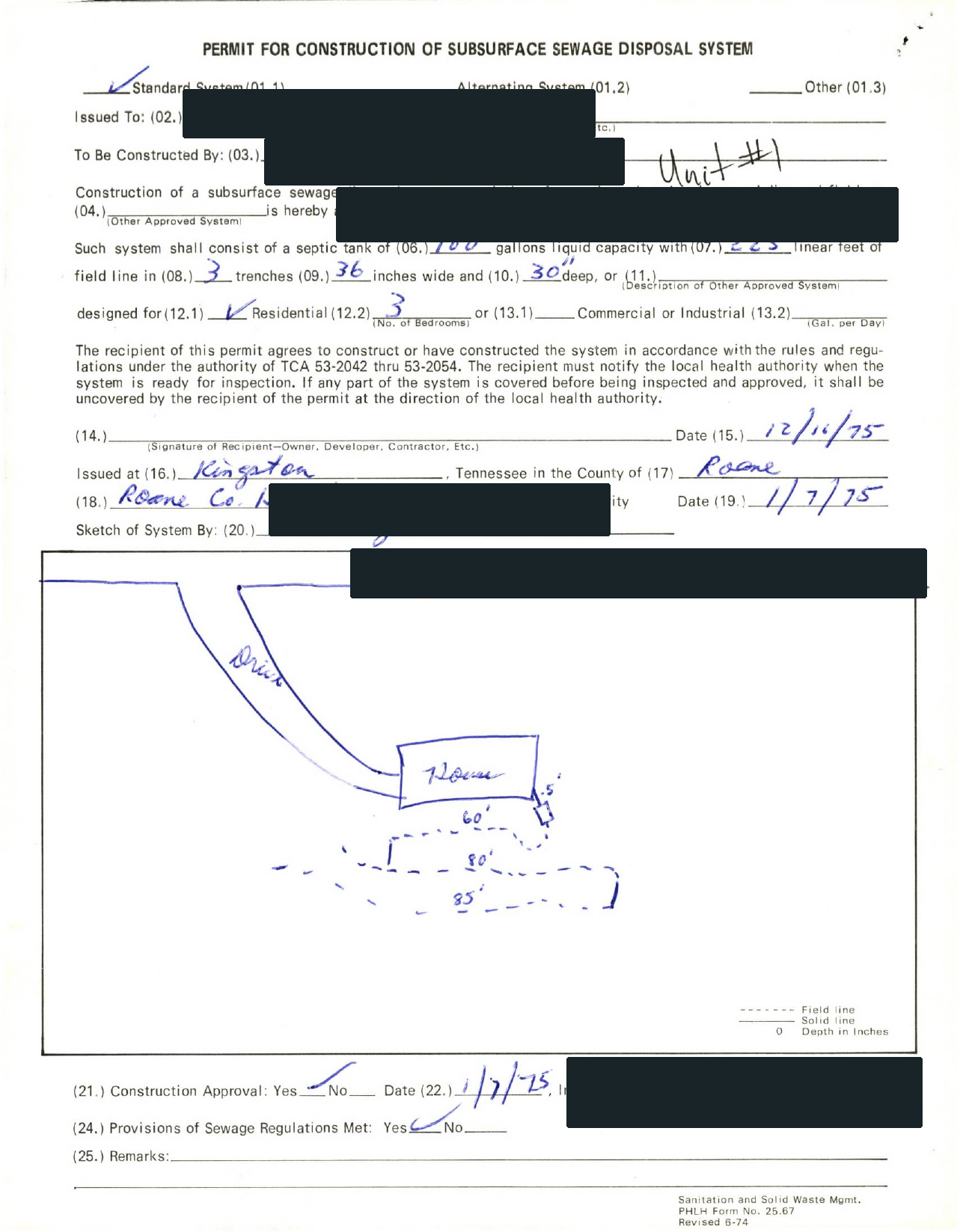
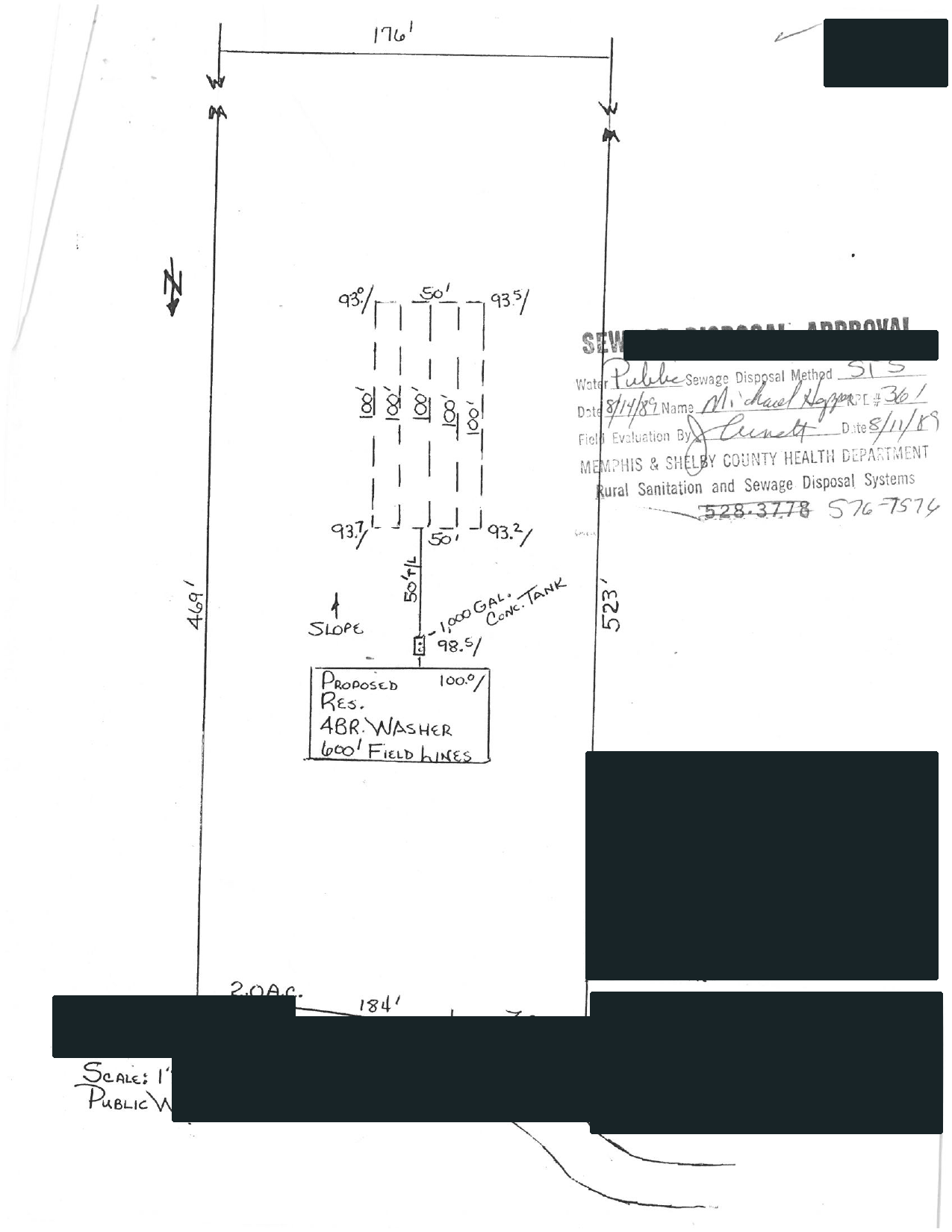
Selected full pages from separate completed requests: original agency records, hand-drawn plans, and the brief delivered after review.
Swipe to compare the original pages Document 1 of 3
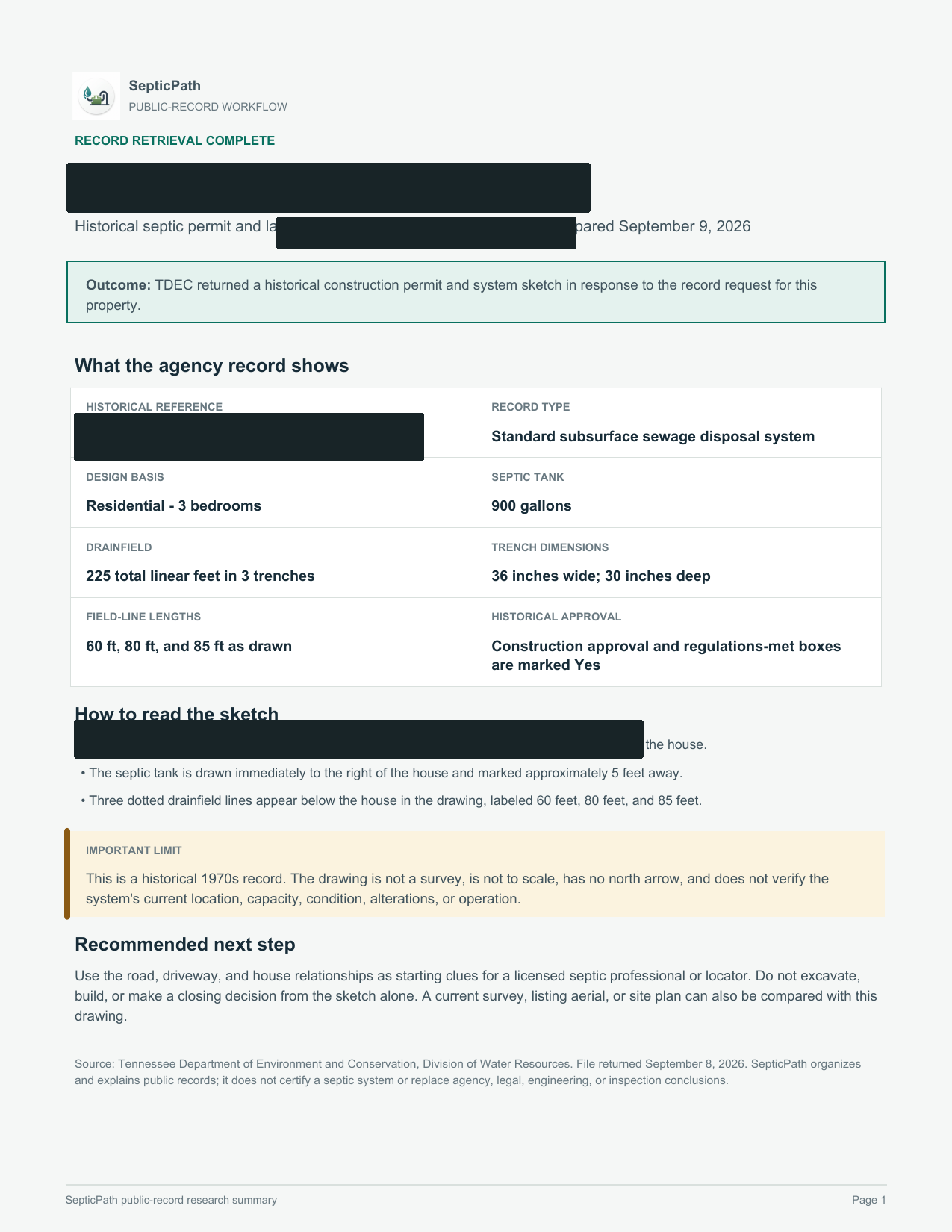
What this helps withA starting point for discussing the layout with a septic professional.
What it does not proveThis is an approved design, not proof of the system’s current location or condition.
Open the delivered brief ↗Privacy reviewed: black bars remove identifying details; agency language, form structure, system data, and drawing geometry remain visible. Samples are from separate requests, not one property file. Record availability varies by property and jurisdiction.
For Utah, use these routes when the search needs a parcel lookup, written records request, as-built file, or county page instead of another broad state summary.
Use this Utah route when the user has an address, parcel, owner, APN, TMS, or legal-description clue and needs the right file owner before the record is treated as missing.
Open address search guideUse this Utah route when the next move is asking for a permit copy, as-built, final approval, repair file, inspection letter, or written no-record response.
Open records request guideUse this Utah route when the installed layout, site sketch, tank location, drain field, reserve area, or repair scope can change the next quote or deal decision.
Open as-built records guideUse this Utah route when the county is known and the next useful click is the local permit file, records request, parcel lookup, or office path.
Open county records guideThis is the Utah records path to follow when the visitor needs a permit copy, as-built, inspection letter, repair trail, or written no-record response tied to a parcel.
Utah Department of Environmental Quality | Onsite Wastewater Application Forms. Treat this as the first verification lane, not as proof that every county file is online.
Any soil log, percolation test result, or site note already tied to the parcel.
Start with Onsite Wastewater Application Forms, then use county or regional contact wording if the portal does not show the parcel file.
Utah Septic Records Checklist and Permit Lookup county trigger: You already have the parcel, address, or owner in hand and the next real move is pulling the county file.
If the Utah lookup has no match, ask for a written no-record response and the office that owns archived, regional, contract-county, or pre-digital septic files.
Carry the Utah address, parcel/APN/TMS, owner, legal description, subdivision, and any prior permit number into the next request.
Use this Utah guide to pick the right office, pull the first file, and jump to a county route when the property location is already known.
Search for the property's permit and supporting documents using its address or parcel number. If no record appears, ask the responsible office to check its archives.
Onsite Wastewater Application Forms provides official source context. The county instructions above identify the search or request route for an existing property file.
Local search instructions are available for Iron County records, Wasatch County records, Davis County records. Choose the property's county to find the relevant office and records route.
Any soil log, percolation test result, or site note already tied to the parcel.
Each Utah route below resolves a different records search into the same practical next step: identify the file owner, pull the permit trail, and then decide whether the record is strong enough to trust.
Start with the official Utah records or local authority path, then confirm the permit file before trusting a quote, buyer story, or repair plan.
Open records pathUse this in Utah when the county file owner, parcel clue, or local records request is the real next step.
Open county records routesFor Utah Septic Records Checklist and Permit Lookup, use the local office first when you want to move from a planning page into an actual permit or records workflow.
Open local authority sourceFor Utah Septic Records Checklist and Permit Lookup, use the existing record trail to confirm whether this property still fits the low end before you move into quote mode.
Open records lookup| Rule style | Permit and records path | Override risk | high |
|---|---|---|---|
| Last verified | 2026-03-10 | Official sources | 5 |
| Local verification links | 2 | Records links | 2 |
| Public sizing signal | Conservative fallback range | Primary first call | Start with the local health department or district engineer that handles onsite wastewater permits and file questions for the property. |
| County-backed first pull | Utah Septic Records Checklist and Permit Lookup file check: Parcel identifier, address, owner name, or permit number needed to pull the county file. | Hold pricing when | Utah Septic Records Checklist and Permit Lookup quote hold: Do not move into quote mode while the parcel, GIS, or records-request trail is still missing. |
Best for Utah buyers, owners, agents, and builders who know the property uses septic but still need to know whether the file is complete enough to trust the next quote or deal step.
Best for Utah buyers, owners, agents, and builders who know the property uses septic but still need to know whether the file is complete enough to trust the next quote or deal step. Utah's records lookup page is strongest when it makes the permit search, county file owner, and missing document explicit. Utah records intent is strongest when the page connects local health department or district engineer routing, soil log and percolation test results, and local control and operating-permit friction instead of pretending the state keeps one simple homeowner database.
Utah Septic Records Checklist and Permit Lookup permit context: Utah homeowners usually need the local health department and permit-workflow story clarified before they trust an install or repair quote. The project is not really permit-ready until the local health handoff, soil paperwork, and any local operating-permit wrinkle are clearer. The first practical check is usually the office, file path, or reviewer identified in this state workflow: Start with the local health department or district engineer that handles onsite wastewater permits and file questions for the property.
Utah Septic Records Checklist and Permit Lookup local exception: Utah's main wrinkle is that the state program is visible, but the real permit and operating-permit path still turns on the local health department handoff. That is why this page pairs a planning estimate with official sources, records links, and a local checklist before you move into quote mode.
For Utah Septic Records Checklist and Permit Lookup, County files often start with parcel, GIS, permit-search, or formal document-request lookup before anyone trusts the seller summary. Ask the Utah county for For Utah Septic Records Checklist and Permit Lookup, first ask for parcel identifier, address, owner name, or permit number needed to pull the county file. Seen across 13 live county pages. Examples: Box Elder County, Cache County, Davis County.
For Utah Septic Records Checklist and Permit Lookup, Buyer and transfer risk often lives in inspection, property-status, PTI, or completion artifacts rather than a generic permit copy. Ask the Utah county for For Utah Septic Records Checklist and Permit Lookup, first ask for transfer inspection, property status report, PTI-backed record, or buyer-side completion proof. Seen across 13 live county pages. Examples: Box Elder County, Cache County, Davis County.
Many county workflows in Utah still turn on identifying the correct district or local health office first. Seen in 9 county pages.
Utah county evidence: County files often need a stronger closeout artifact than the first permit mention. Seen in 12 county pages.
Utah county evidence: The most common buyer-side county artifact is a formal transfer, status, or real-estate evaluation record. Seen in 13 county pages.
Utah county evidence: County pages in this state often turn on a local exception, sewer branch, reserve-area limit, or other area rule before the normal path applies. Seen in 10 county pages.
Utah county evidence: County pages in this state still reward checking the repair or malfunction side before trusting the simplest system story. Seen in 9 county pages.
Utah county evidence: The most common quote gate is pulling the buyer-side or transfer artifact before the property story reaches pricing. Seen in 8 county pages.
Use these Utah routes when this Utah Septic Records Checklist and Permit Lookup page is still too broad and the real blocker is a specific county file, location request, or local records form.
This Utah Septic Records Checklist and Permit Lookup page shows the strongest six Utah county routes first so the workflow stays scannable. Use the state records page when you need the wider county list.
Open all Utah county routesWho to call first. Start with the local health department or district engineer that handles onsite wastewater permits and file questions for the property.
Records to request.
State-level checks.
Page-specific checks.
Utah timing often turns on how quickly the local health department confirms the permit path, whether soil paperwork is already usable, and whether local operating-permit control adds another step.
Buyers should ask for the local health file and any soil or permit paperwork early because Utah's local-control layer can reveal more risk than the listing summary.
Utah's current source set is strongest on local-health routing, permit workflow, and operating-permit context, not on one simple statewide pumping cadence.
Utah's main wrinkle is that the state program is visible, but the real permit and operating-permit path still turns on the local health department handoff.
Utah: Find the office or lookup holding the file.
Open the records lookup first.
Usually the local health department or district engineer, which is the first office to identify before you ask for the soil log and percolation test results or any transfer paperwork.
Use the Utah records lookup path to find the permit search, county file owner, or official office that can confirm the permit, as-built, inspection, or repair record before quotes.
Find the official permit or county file first. If a sale or offer is moving, use the free check to identify the bedroom-count, parcel-match, approval, repair, or missing-record question that still needs an answer.