This Tennessee Septic Records by County page is maintained as conservative homeowner guidance and changes when its state evidence or workflow changes.
Tennessee Septic Records by County
Find the county file before you trust the story.
Already know the county? Go straight to its official record route.
Hamilton County permit lookup Montgomery County records Blount County records Wilson County records All Tennessee county pagesFind Tennessee septic records by choosing the county and the office that owns the file. Use TDEC for the statewide SSDS search, but move to the contract-county or regional route when you need the actual permit copy, inspection letter, repair history, or written no-record response.
Tennessee records lookup guide
Use this Tennessee guide to pick the right office, pull the first file, and jump to a county route when the property location is already known.
Official source: Tennessee Department of Environment and Conservation · content reviewed 2026-07-28
| Search capture | Answer tennessee septic records with the file owner, the official route, and the first artifact before the page becomes another broad state overview. |
|---|---|
| Official path | Use TDEC Public Records Request as the verification lane, then clarify whether the request belongs with a state office, regional contact, contract county, or local health department. |
| County handoff | Route county-known searches into Hamilton County permit lookup, Montgomery County records, Blount County records before the visitor has to run another search. |
| Proof to pull | Tennessee Septic Records by County file check: Parcel identifier, address, owner name, or permit number needed to pull the county file. |
Turn the lookup into the exact file task before pricing.
For Tennessee, use these routes when the search needs a parcel lookup, written records request, as-built file, or county page instead of another broad state summary.
Septic permit search by address
Use this Tennessee route when the user has an address, parcel, owner, APN, TMS, or legal-description clue and needs the right file owner before the record is treated as missing.
Open address search guideSeptic permit records request
Use this Tennessee route when the next move is asking for a permit copy, as-built, final approval, repair file, inspection letter, or written no-record response.
Open records request guideSeptic as-built records
Use this Tennessee route when the installed layout, site sketch, tank location, drain field, reserve area, or repair scope can change the next quote or deal decision.
Open as-built records guideSeptic records by county
Use this Tennessee route when the county is known and the next useful click is the local permit file, records request, parcel lookup, or office path.
Open county records guideUse the official file route before another broad search.
This is the Tennessee records path to follow when the visitor needs a permit copy, as-built, inspection letter, repair trail, or written no-record response tied to a parcel.
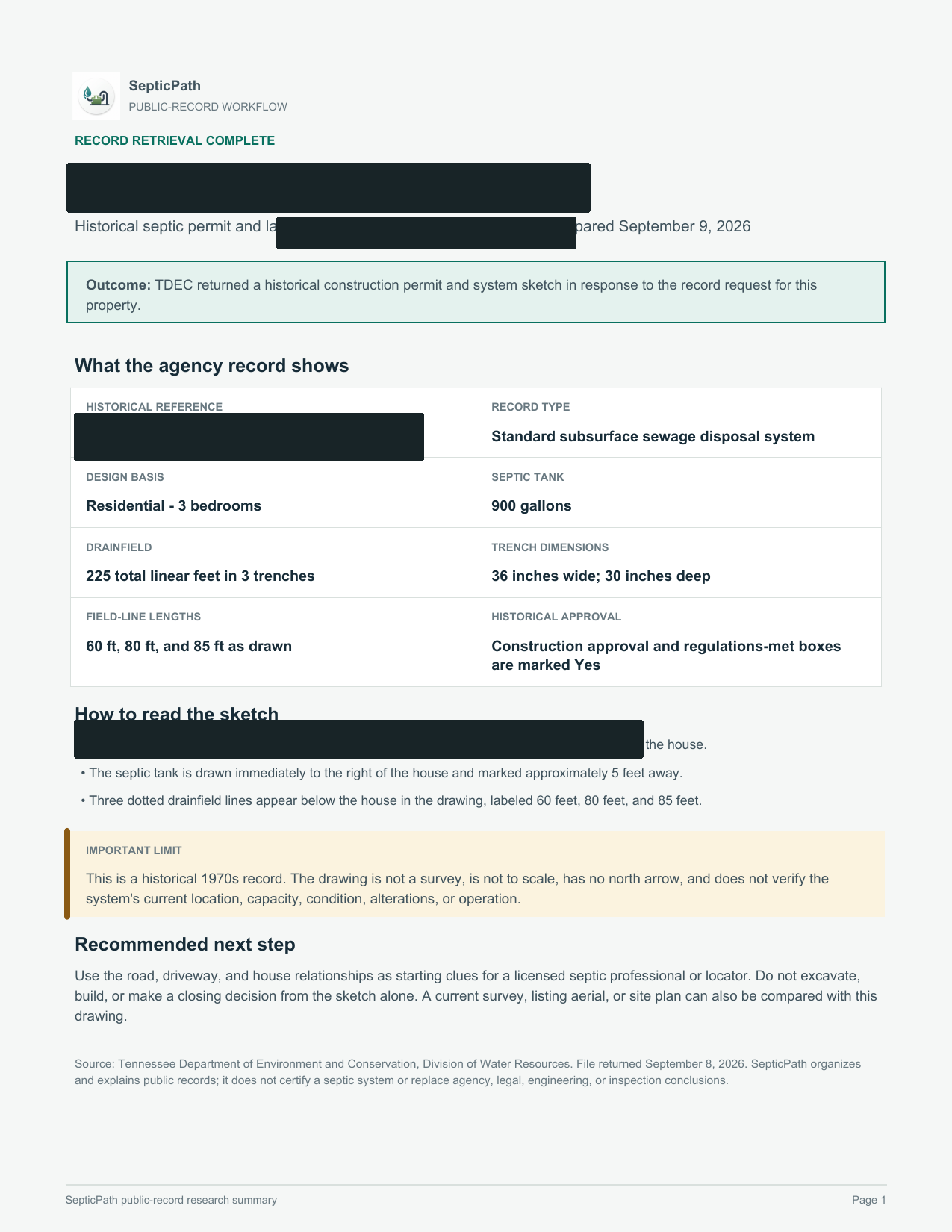
Tennessee Department of Environment and Conservation | TDEC Public Records Request. Treat this as the first verification lane, not as proof that every county file is online.
Tennessee Septic Records by County file check: Parcel identifier, address, owner name, or permit number needed to pull the county file.
Start with TDEC Public Records Request, then use county or regional contact wording if the portal does not show the parcel file.
Tennessee Septic Records by County county trigger: You already have the parcel, address, or owner in hand and the next real move is pulling the county file.
If the Tennessee lookup has no match, ask for a written no-record response and the office that owns archived, regional, contract-county, or pre-digital septic files.
Carry the Tennessee address, parcel/APN/TMS, owner, legal description, subdivision, and any prior permit number into the next request.
Tennessee records lookup guide
Use this Tennessee guide to pick the right office, pull the first file, and jump to a county route when the property location is already known.
Answer tennessee septic records with the file owner, the official route, and the first artifact before the page becomes another broad state overview.
Use TDEC Public Records Request as the verification lane, then clarify whether the request belongs with a state office, regional contact, contract county, or local health department.
Route county-known searches into Hamilton County permit lookup, Montgomery County records, Blount County records before the visitor has to run another search.
Tennessee Septic Records by County file check: Parcel identifier, address, owner name, or permit number needed to pull the county file.
Use the Tennessee search phrase that matches the job.
Each Tennessee route below resolves a different records search into the same practical next step: identify the file owner, pull the permit trail, and then decide whether the record is strong enough to trust.
How do I handle Tennessee septic records?
Use this route when the search is about the statewide septic file trail: permit file, inspection letter, repair permit, and the office that can confirm the parcel record.
Open Tennessee records pathHow do I handle TDEC septic records?
Start with the TDEC SSDS route, then confirm whether the parcel belongs with a regional contact or a contract county before treating the record as missing.
Open TDEC records sourceHow do I handle State of TN septic records?
Use the state route to identify the permit owner, then jump into the county pages when the search needs a local file owner, parcel clue, or inspection-letter path.
Open Tennessee county routesHow do I handle Tennessee septic permit lookup?
For permit lookup searches, the useful answer is not a generic rule summary. It is the file path: TDEC, contract county, permit history, inspection letter, and repair-permit trail.
Open Tennessee permit contactHow do I handle Blount County septic records?
Use this route when the search has already named Blount County and the user needs the county file path, permit copy, inspection letter, or written no-record response.
Open Blount County recordsHow do I handle Hamilton County septic inspection records?
Use this route when the searcher needs Hamilton County inspection records, permit history, address clues, or the file trail behind a buyer or repair decision.
Open Hamilton County recordsFind the office or lookup holding the file
For Tennessee Septic Records by County, use the local office first when you want to move from a planning page into an actual permit or records workflow.
Open local authority sourceOpen the records lookup first
For Tennessee Septic Records by County, use the existing record trail to confirm whether this property still fits the low end before you move into quote mode.
Open records lookupState context Quick facts, fit, and workflow details Open when you need the full state context behind the answer panel.
Quick facts
| Rule style | Permit and records path | Override risk | high |
|---|---|---|---|
| Last verified | 2026-03-10 | Official sources | 4 |
| Local verification links | 2 | Records links | 3 |
| Public sizing signal | Conservative fallback range | Primary first call | Start with the correct TDEC regional contact or the contract county office that handles septic assistance for the property. |
| County-backed first pull | Tennessee Septic Records by County file check: Parcel identifier, address, owner name, or permit number needed to pull the county file. | Hold pricing when | Tennessee Septic Records by County quote hold: Do not move into quote mode while the parcel, GIS, or records-request trail is still missing. |
Records lookup checklist
- Open the regional contacts page first and confirm whether the parcel is handled by a contract county or a TDEC contact.
- Ask for the construction permit, any repair permit, and any inspection letter or prior file tied to the property.
- Confirm whether soil or site limits are pushing the job toward an alternative system before you anchor to the low end.
Who this page is for
Best for Tennessee buyers, owners, agents, and builders searching for septic records, permit lookup, or the right file before trusting the next quote, deal step, or repair story.
- You know the parcel uses septic, but no one has surfaced the permit file and inspection letter yet.
- You are searching for Tennessee septic records, TDEC septic records, state of TN septic records, or the contract county office that can point you to the file.
- You need to know whether regional-contact and repair-permit friction makes the record trail slower or thinner than expected.
What changes this page in Tennessee
Best for Tennessee buyers, owners, agents, and builders searching for septic records, permit lookup, or the right file before trusting the next quote, deal step, or repair story. This route is the Tennessee county and request guide, not another TDEC search page. It answers which office owns the file and which document proves the property story after the statewide search or county handoff.
Tennessee Septic Records by County permit context: Tennessee homeowners usually need the permit file before they trust a replacement number. The practical path changes depending on whether the job is installation, failing-system repair, or an inspection-letter pull tied to a sale or mortgage, and it can change again if the county is a contract county. The first practical check is usually the office, file path, or reviewer identified in this state workflow: Start with the correct TDEC regional contact or the contract county office that handles septic assistance for the property.
Tennessee Septic Records by County local exception: Tennessee's main wrinkle is the split between contract-county routing and TDEC contacts plus the inspection-letter path that often matters before replacement or buyer decisions. That is why this page pairs a planning estimate with official sources, records links, and a local checklist before you move into quote mode.
Main estimate drivers in Tennessee
- TDEC SSDS record search and contract county routing are the first click, not an afterthought.
- The permit file and inspection letter decide whether the property story is usable for a sale, repair, or quote.
- Repair-permit friction can turn a clean-looking lookup into a broader failure or replacement path.
How this workflow usually unfolds in Tennessee
- Start with the TDEC SSDS permits hub, the record-search path it links, or the contract county office and confirm who actually controls the file for the property.
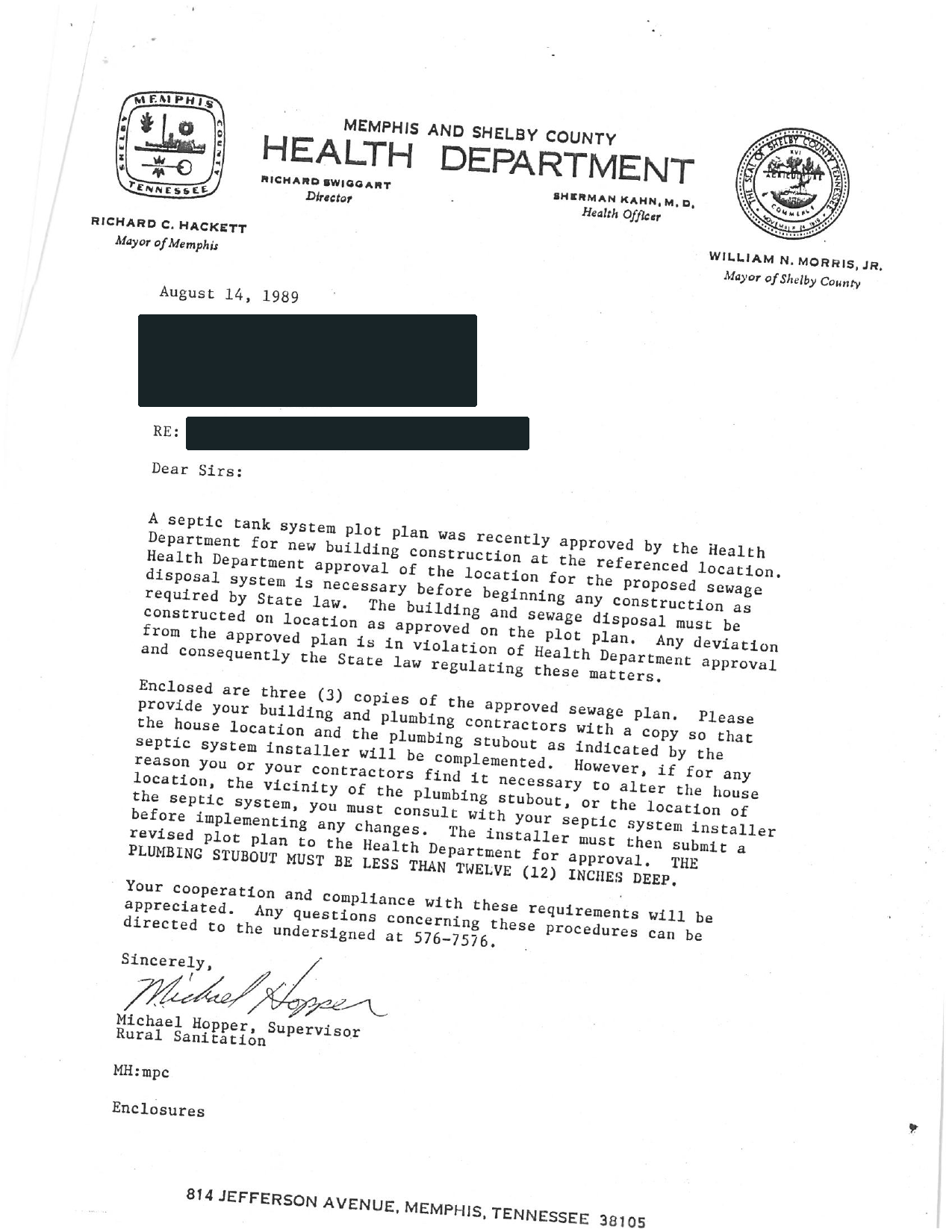
- Pull the permit file and inspection letter, permit history, and any inspection, design, or follow-up note already tied to the parcel.
- Confirm whether soil or site limits are pushing the job toward an alternative system before you anchor to the low end.
- Then compare quotes, buyer diligence, or repair follow-up only after the file is strong enough to trust the current story.
State Pattern Summary How county files usually break down in Tennessee These county pages show the local branches that keep repeating in Tennessee. This summary is built from 21 live county workflows so you can decide which county file, replacement branch, or failure-side trigger matters before you treat the first cost number like the final answer.
Parcel and records lookup
For Tennessee Septic Records by County, County files often start with parcel, GIS, permit-search, or formal document-request lookup before anyone trusts the seller summary. Ask the Tennessee county for For Tennessee Septic Records by County, first ask for parcel identifier, address, owner name, or permit number needed to pull the county file. Seen across 21 live county pages. Examples: Anderson County, Blount County, Bradley County.
Transfer and buyer diligence
For Tennessee Septic Records by County, Buyer and transfer risk often lives in inspection, property-status, PTI, or completion artifacts rather than a generic permit copy. Ask the Tennessee county for For Tennessee Septic Records by County, first ask for transfer inspection, property status report, PTI-backed record, or buyer-side completion proof. Seen across 21 live county pages. Examples: Anderson County, Blount County, Bradley County.
Repair and malfunction trail
For Tennessee Septic Records by County, Repair questionnaires, malfunction complaints, or violation files often tell you more than a clean-looking estimate or seller note. Ask the Tennessee county for For Tennessee Septic Records by County, first ask for repair questionnaire, malfunction complaint, violation notice, or repair-permit history. Seen across 18 live county pages. Examples: Anderson County, Bradley County, Cumberland County.
Most common file owner pattern
Many county workflows in Tennessee are county-first once you reach the named local office. Seen in 9 county pages.
Most common permit closeout signal
Tennessee county evidence: County files often need a stronger closeout artifact than the first permit mention. Seen in 14 county pages.
Most common buyer or transfer artifact
Tennessee county evidence: The most common buyer-side county artifact is a formal transfer, status, or real-estate evaluation record. Seen in 21 county pages.
Most common special program or exception
Tennessee county evidence: County pages in this state still need a special-program check even when no single program dominates the workflow. Seen in 12 county pages.
Most common malfunction or repair trail
Tennessee county evidence: County pages in this state often move into a repair, malfunction, or off-lot-discharge branch before the low-end scope is real. Seen in 20 county pages.
Most common quote gate
Tennessee county evidence: The most common quote gate is a repair, malfunction, or failing-system branch that has to be cleared before pricing is trustworthy. Seen in 20 county pages.
First county artifacts to pull
- Tennessee Septic Records by County file check: Parcel identifier, address, owner name, or permit number needed to pull the county file.
- Tennessee Septic Records by County file check: Transfer inspection, property status report, PTI-backed record, or buyer-side completion proof.
- Tennessee Septic Records by County file check: Repair questionnaire, malfunction complaint, violation notice, or repair-permit history.
Drop to a county page when
- Tennessee Septic Records by County county trigger: You already have the parcel, address, or owner in hand and the next real move is pulling the county file.
- Tennessee Septic Records by County county trigger: The real question is closing risk, lender diligence, or inspection leverage rather than basic permit history.
- Tennessee Septic Records by County county trigger: There are failure symptoms, complaint history, or repair questions already in play and the state page is still too abstract.
Do not quote yet when
- Tennessee Septic Records by County quote hold: Do not move into quote mode while the parcel, GIS, or records-request trail is still missing.
- Tennessee Septic Records by County quote hold: Do not jump to quote mode while the buyer or lender still lacks the transfer-side inspection or status artifact.
- Tennessee Septic Records by County quote hold: Stop before quoting if there are failure symptoms, complaint history, or an unresolved repair trail in the county file.
County record pages behind this state workflow
Use these Tennessee routes when this Tennessee Septic Records by County page is still too broad and the real blocker is a specific county file, location request, or local records form.
Hamilton County TN Septic Inspection Records and Permit Lookup
Open county pageMontgomery County Tennessee Septic Records Checklist and Permit Lookup
Open county pageBlount County TN Septic Records and SSDS Request
Open county pageWilson County Tennessee Septic Records Checklist and Permit Lookup
Open county pageSevier County Tennessee Septic Records Checklist and Permit Lookup
Open county pageDavidson County Tennessee Septic Records Checklist and Permit Lookup
Open county pageMore county pages are available
This Tennessee Septic Records by County page shows the strongest six Tennessee county routes first so the workflow stays scannable. Use the state records page when you need the wider county list.
Open all Tennessee county routesShow all county page links on this page
- Knox County Tennessee Septic Records Checklist and Permit Lookup
- Williamson County Tennessee Septic Records Checklist and Permit Lookup
- Rutherford County Tennessee Septic Records Checklist and Permit Lookup
- Sumner County Tennessee Septic Records Checklist and Permit Lookup
- Madison County Tennessee Septic Records Checklist and Permit Lookup
- Anderson County Tennessee Septic Records and Permit Lookup
- Shelby County Tennessee Septic Records Checklist and Permit Lookup
- Loudon County Tennessee Septic Records and Permit Lookup
- Cumberland County Tennessee Septic Records and Permit Lookup
- Bradley County Tennessee Septic Records Checklist and Permit Lookup
- Jefferson County Tennessee Septic Records Checklist and Permit Lookup
- Maury County Tennessee Septic Records Checklist and Permit Lookup
- Putnam County Tennessee Septic Records Checklist and Permit Lookup
- Sullivan County Tennessee Septic Records Checklist and Permit Lookup
- Washington County Tennessee Septic Records Checklist and Permit Lookup
Verification layer Prep checks and official sources Open when you need the authority links, records sources, and low-end risk checks.
Start with this file prep
Who to call first. Start with the correct TDEC regional contact or the contract county office that handles septic assistance for the property.
Records to request.
- The septic system construction permit and any repair permit tied to the current system.
- Any inspection letter documenting the status of the existing septic system for sale, mortgage, or subdivision use.
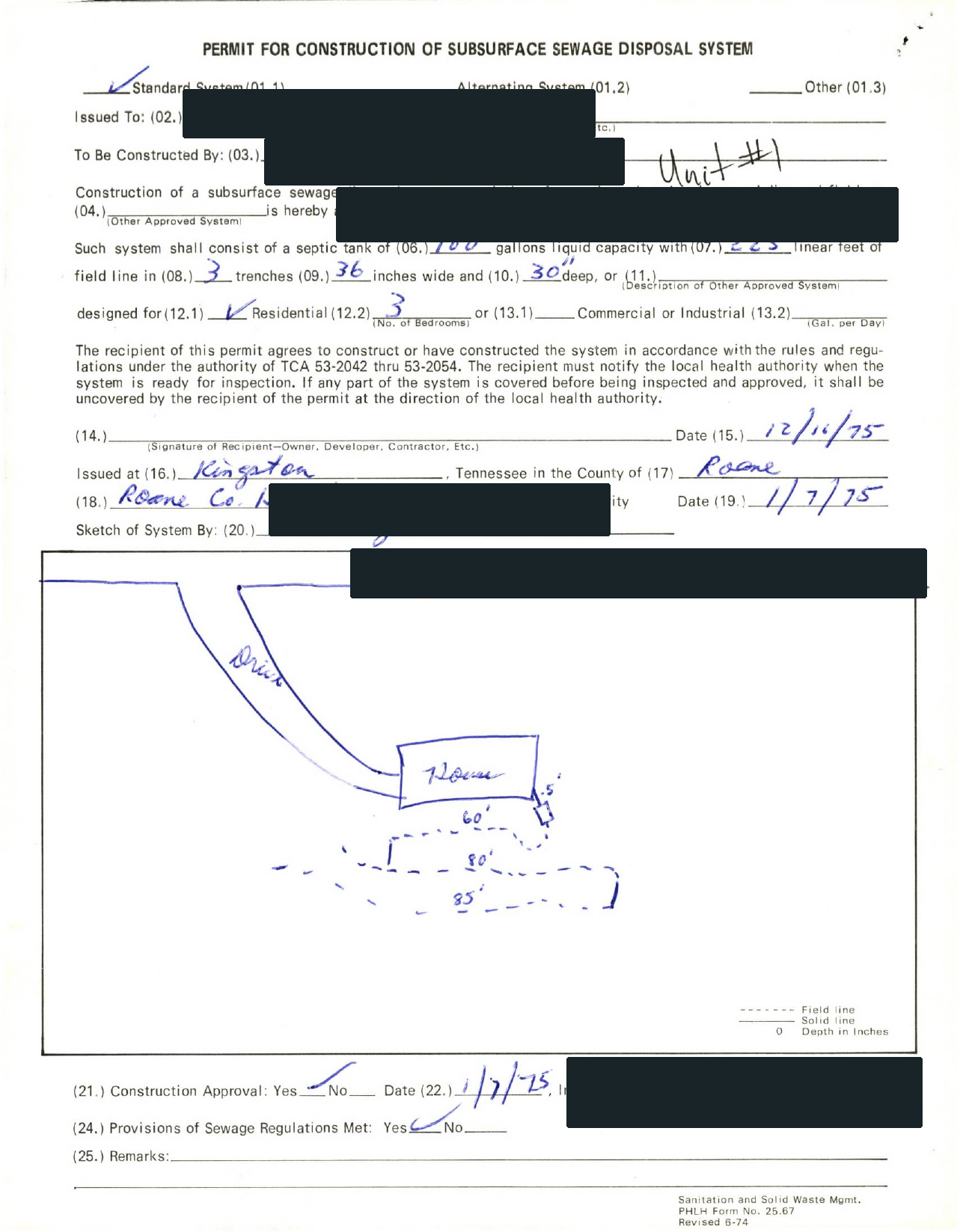
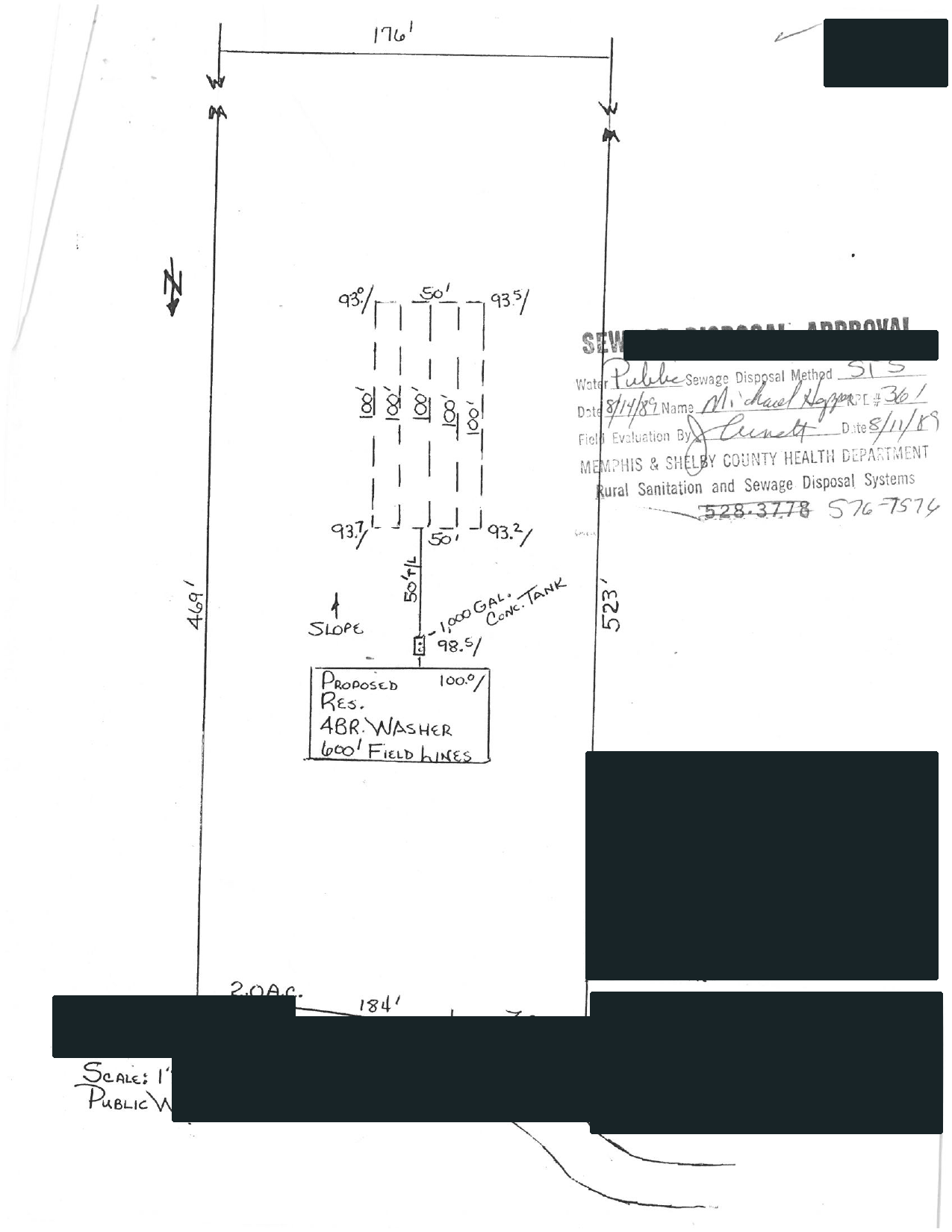
- Any sketch, soils map, or site file already attached to the permit record.
What makes the file less trustworthy in Tennessee
State-level checks.
- If the homeowner has not confirmed whether the parcel is handled by a contract county or a TDEC regional office, the low end is still a planning scenario.
- If the job actually needs a repair permit for a failing system, the project can be wider than a simple replacement quote suggests.
- If soil or site conditions push the job toward an alternative system, the replacement path can widen quickly.
- Tennessee looks statewide through TDEC, but the practical homeowner path changes quickly once you know whether the parcel is handled by a contract county or a TDEC regional contact and whether the permit file is complete.
Page-specific checks.
- If the homeowner has not confirmed whether the parcel is handled by a contract county or a TDEC regional office, the low end is still a planning scenario.
- If the job actually needs a repair permit for a failing system, the project can be wider than a simple replacement quote suggests.
- If soil or site conditions push the job toward an alternative system, the replacement path can widen quickly.
Permit timeline watch
Tennessee timing often turns on how quickly the permit file is pulled, whether an inspection letter is needed for a transaction, and whether the job stays conventional or widens into an alternative-system conversation.
When the missing file becomes a deal problem
Buyers should ask for the permit file and any inspection letter early because Tennessee inspection letters are often used for sales and mortgages and can reveal whether the existing system story is thinner than the listing suggests.
Maintenance / inspection note
Tennessee's current source set is strongest on permit timing, repair permits, and inspection-letter workflow, not on one simple statewide pumping cadence.
Special state wrinkle
Tennessee's main wrinkle is the split between contract-county routing and TDEC contacts plus the inspection-letter path that often matters before replacement or buyer decisions.
Bring this into the next records lookup
- The septic system construction permit, permit-search result, and any repair permit tied to the current system.
- Any inspection letter documenting the status of the existing septic system for sale, mortgage, or subdivision use.
- Any sketch, soils map, or site file already attached to the permit record.
- A short note showing whether the file request is for buyer diligence, permit cleanup, replacement planning, or service-history review.
Official file and lookup links
Tennessee: Find the office or lookup holding the file.
- Tennessee Department of Environment and Conservation Environmental Field Offices Directory
- Tennessee Department of Environment and Conservation TDEC Public Records Request
Open the records lookup first.
- Tennessee Department of Environment and Conservation TDEC Public Records Request
- Tennessee Department of Environment and Conservation Environmental Field Offices Directory
- Tennessee Department of Environment and Conservation Current SSDS Record Search
- Tennessee Department of Environment and Conservation Subsurface Sewage Disposal Systems Program
- Tennessee Department of Environment and Conservation Online Application for Septic Related Services
- Tennessee Department of Environment and Conservation TDEC Public Records Request
- Tennessee Department of Environment and Conservation TDEC Programs and Contacts
Tennessee questions this page should answer before a quote request.
How do I look up Tennessee septic records or TDEC septic records?
Start with the TDEC SSDS permits hub, record-search path, regional contact, or contract county office and pull the permit file and inspection letter before treating the project as routine.
Does Tennessee have a septic permit lookup?
TDEC points homeowners into its SSDS permit hub, record-search path, regional contacts, and contract county routing, so the useful lookup step is confirming which of those paths owns the parcel file.
Estimate before the permit-file pull
Tennessee quote conversations get more real once you know whether the parcel runs through a contract county or TDEC contact and whether a repair permit or inspection letter is already in the file. The calculator result already shows the likely tank band, system class, cost range, and state-specific rule context. Use the file, permit, or authority path above before you move into quote mode.
Related links
- Knox County Tennessee Septic Records Checklist and Permit Lookup
- Loudon County Tennessee Septic Records and Permit Lookup
- Rutherford County Tennessee Septic Records Checklist and Permit Lookup
- Shelby County Tennessee Septic Records Checklist and Permit Lookup
- Williamson County Tennessee Septic Records Checklist and Permit Lookup
- Septic Records by County
- Septic Permit Search by Address
- Septic Permit Records Request
- Tennessee septic guide
- Septic As-Built Records
- Septic Inspection Letter
- Buying a House With a Septic System in Tennessee
- Tennessee Septic Permit Process and TDEC Permit Lookup
- Septic Permit Lookup by State
- Tennessee Septic Inspection Cost
- How to Find Septic Records Online